


Answer
Your company has been locked because you have reached your plan's company allowance. Standard (non-agent) plans include an allowance of 2 active companies on the Small, Medium, Large, and Extra Large tiers, or 5 active companies on Enterprise. You can raise a standard plan up to a maximum of 10 companies by adding Extra Company Add-Ons, and manage more than 10 companies with an Agent subscription. See What Is Changing With Licence Limits and Subscriptions on 1 January 2026? for the full tier breakdown.
We have communicated these subscription changes through email and notices on our website, and through an in-app popup for affected customers. When acknowledged, that popup is recorded under Tools >> Licence Details.
How the Company Limit Works
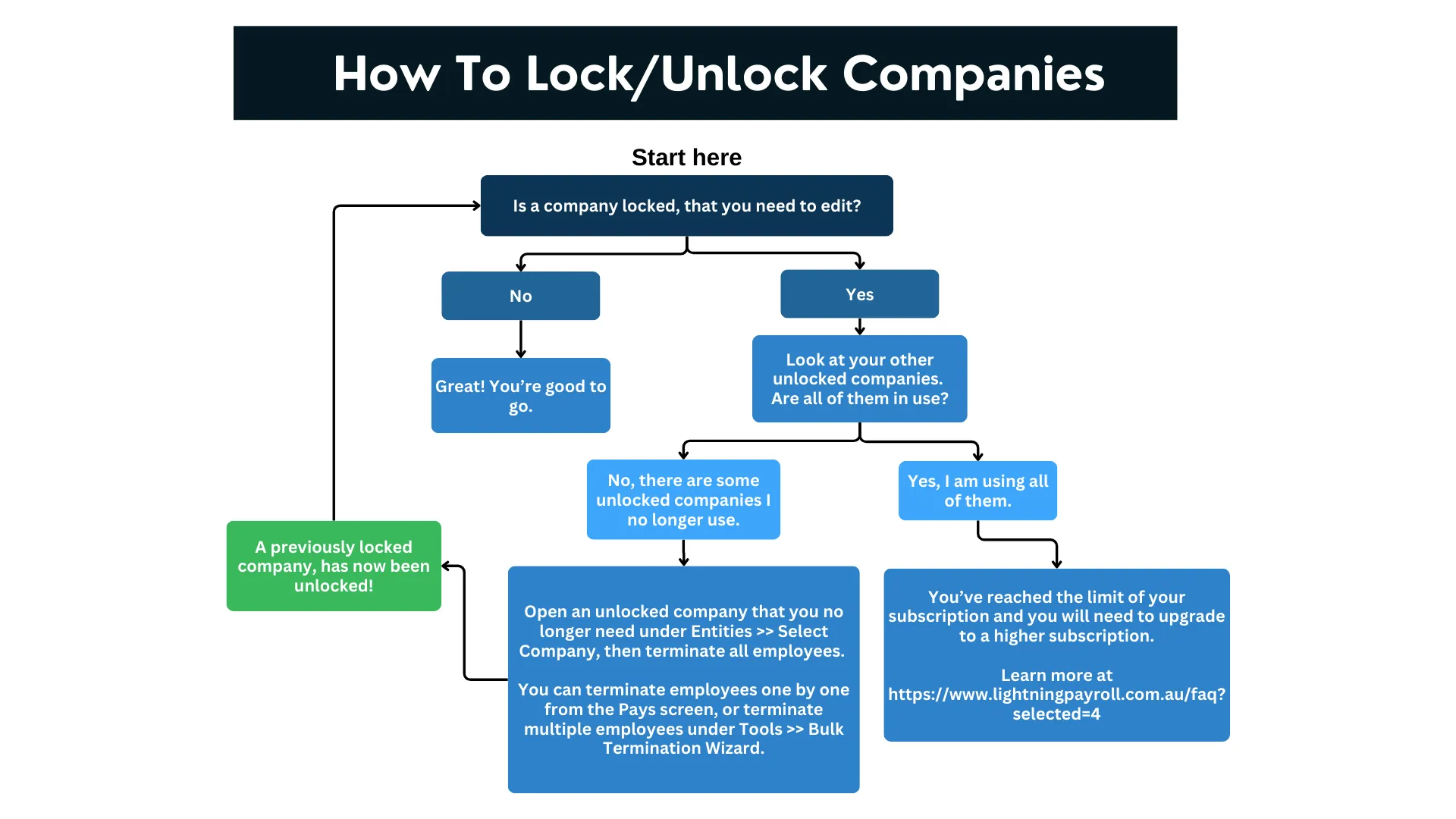
A company only counts towards your limit if it has at least one active (non-terminated) employee. If you no longer use a company, terminate all of its employees and it is excluded from your active company count, freeing up a slot for another company.
In the desktop app: open the employee’s pay and click the Terminate Employee button in the Edit Pay screen, or use Tools >> Bulk Termination Wizard to process several employees at once.
In the online (web/mobile) app: open the employee’s pay and select Termination Wizard (AU) or Employment Finish (NZ) from within the Edit Pay screen, or go to Tools >> Bulk Termination Wizard to process several employees at once.
What Can I Do?
If you have reached your plan's company allowance, your options are:
- Terminate all employees in unused companies – a company with no active employees no longer counts towards your limit, freeing a slot.
- Add Extra Company Add-Ons – if you need up to 10 companies in total, add Extra Company Add-Ons to your subscription. Each add-on raises your company allowance. Log in to your account and use View/Renew/Upgrade Subscriptions to add them.
- Move up to an Agent subscription – to manage more than 10 companies, upgrade to an Agent plan. When you upgrade, the remaining value of your current subscription is automatically credited towards the new plan, so you only pay the difference. Log in and use View/Renew/Upgrade Subscriptions, or contact our support team for help choosing the right plan.
If you need help choosing the right plan, our support team is happy to assist. You can also read our guide on how to upgrade.

