


Answer
The Default Company Super Fund is your nominated fund for employees who do not choose their own. When set, employees completing onboarding or updating their super details through the employee portal can select Use company default super fund instead of entering a fund manually. Lightning Payroll will then automatically send a SuperStream member registration message to that fund on their behalf.
Setting the Default Company Super Fund
In the online (web/mobile) app: go to Settings >> Super Funds (the page is titled Super Fund Providers). Use the Default Company Super Fund dropdown to select one of your active super funds. The setting saves immediately. If no funds are listed, add one first using New Super Fund (Online Search).
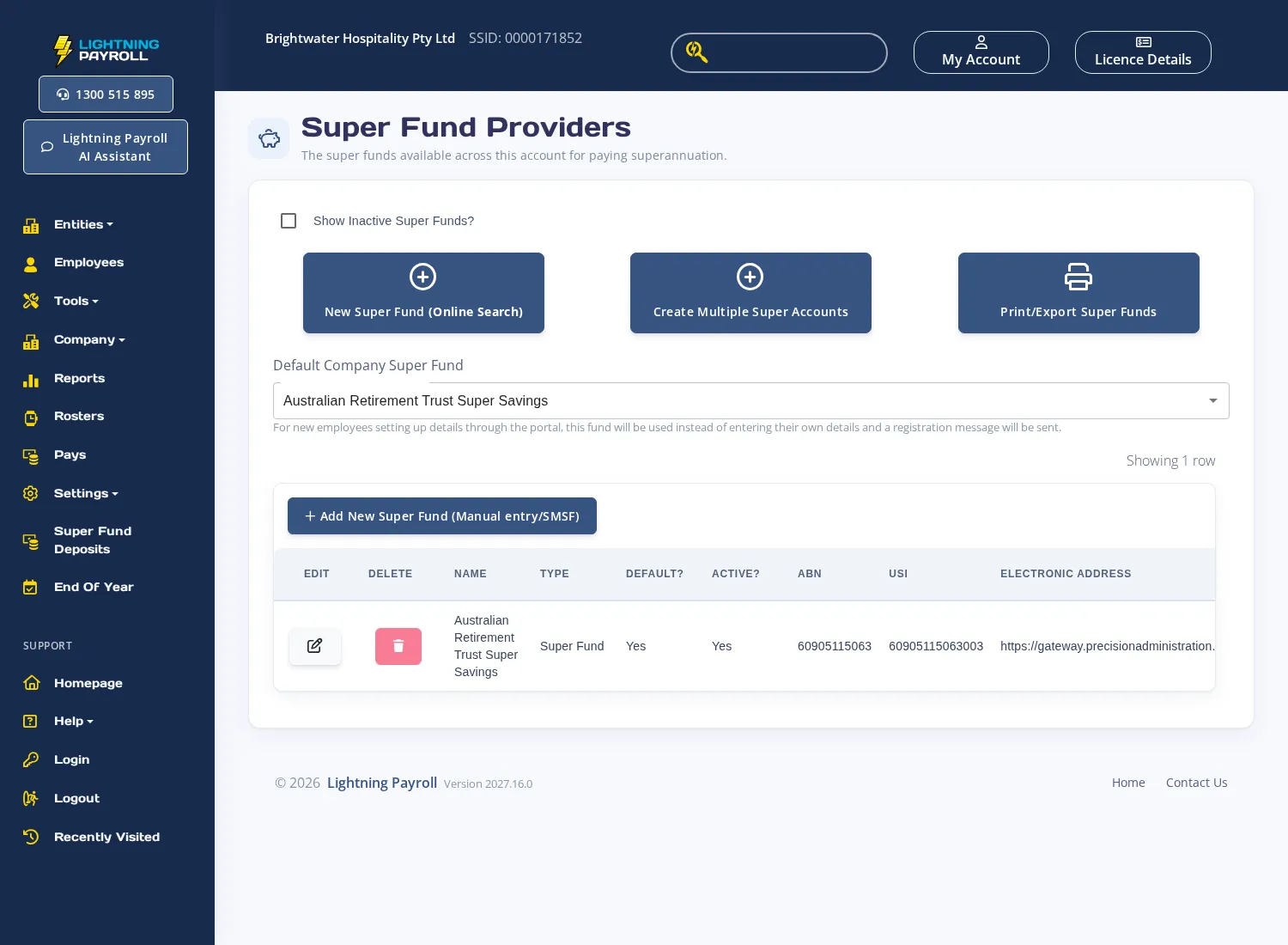
In the desktop app: go to Settings >> Super Fund Providers and use the Default Company Super Fund dropdown to select the fund you want to use as the default. Only active funds are listed.
How It Works for Employees in the Portal
When an employee logs into the employee portal and opens the Super section, they will see a Use company default super fund checkbox. If they tick it:
- The fund you have nominated as the default is applied to their account.
- A SuperStream member registration message is sent to that fund automatically.
- They do not need to know or enter their own USI or member number.
If the employee has not completed their personal details (name, address, tax file number) before ticking this option, the portal will prompt them to complete those fields first. Personal details are required for the registration message to be valid.
When No Default Is Set
If you have not selected a default company super fund, the Use company default super fund option in the portal is disabled. Employees must enter their own super fund USI and member number manually. You can still register members manually through the Create New Super Member Registration screen in the online app, or under Employees >> Super >> Superannuation Fund in the desktop app.
For instructions on adding or registering a super fund account for an individual employee, see How Do I Create a New Super Fund Account for an Employee in Lightning Payroll?

