Answer
If a super fund is not used by any employee or SuperStream message, go to Settings >> Super Fund Providers and click the small delete (minus) button at the end of its row to remove it. The button is greyed out if the fund is in use. You can't delete a fund that is still connected to an employee or an old deposit or SuperStream message, but here's how you can at least make it Inactive and get it out of the way.
- Go to Settings >> Super Fund Providers.
- Click Edit Provider beside a fund you wish to get rid of.
- Untick the Active? box at the bottom. An inactive fund no longer needs a valid ABN or USI to save.
- Save the changes. The unused fund is now hidden.
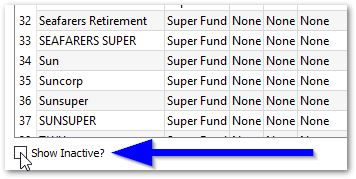
To view your hidden/inactive super funds, tick the Show Inactive? box at the bottom of Settings >> Super Fund Providers.