Answer
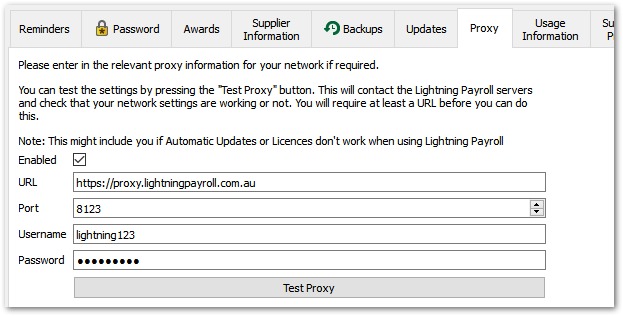
If your company uses a network that involves an authenticated proxy you may have to enter settings under Settings >> Proxy to allow Lightning Payroll to access the internet. This means Lightning Payroll is able to keep you up-to-date with automatic update downloads and allows you to connect to the ATO via SBR and to the national Superstream network. All of these features require Lightning Payroll to have internet access. Contact your network administrator, or IT department for appropriate settings if you're unsure of what to enter. Enter a full, valid URL for the proxy (for example http://proxy.somewhere.com.au); the Test Proxy button is only enabled once you have.
Here's an example of a proxy setup: