


Answer
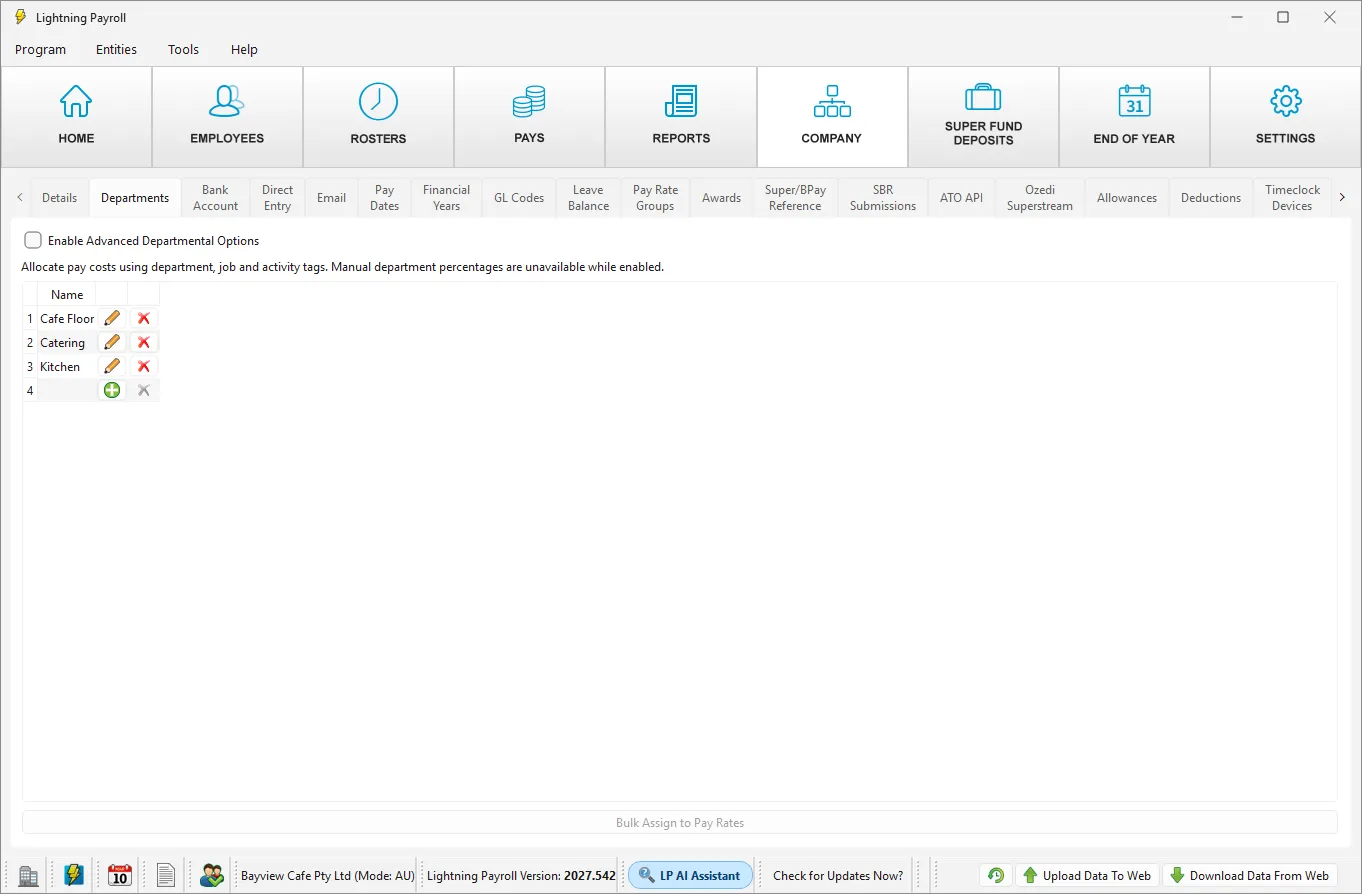
You can turn Advanced Departmental Options off at any time in the desktop app by unticking Enable Advanced Departmental Options under Company >> Departments. Your pay amounts, tax and super (KiwiSaver in NZ) are not affected. Only the way the cost of each pay is allocated to departments changes. This article explains what to expect.
What changes straight away
- The Jobs and Activities tabs disappear from the Company screen.
- The Department, Job and Activity fields disappear from the forms for company shifts, pay rates, allowances and bonuses.
- The Department % button in the pay editor works again.
- The Bulk Assign to Pay Rates button is greyed out.
What happens to pays
- Completed pays keep the department split they had. Nothing is recalculated on past pays, and reports for past periods do not change.
- Pending pays go back to the old way the next time you open the Pays screen. Their department split is rebuilt from each employee's percentages under Employees >> Details >> Departments, or from the Department Allocation on their shifts under Employees >> Shifts if you set one. Any Job and Activity allocations on those pending pays are cleared.
If an employee has no department percentages and no Department Allocation on their shifts, their pending pays have no department split and show as Unassigned until you assign one. Before you turn the option off, check that each employee has the percentages you want. See How Do I Assign An Employee To Departments And Split Their Pay?
Example
At Harbourside Bistro, the front-of-house supervisor has Front of House 70% and Functions 30% under Employees >> Details >> Departments. With the option on, a week of floor shifts is costed 100% to Front of House. After the option is turned off, her next pending pay is split 70/30 again, whatever shifts she works, provided her shifts have no Department Allocation. Her completed pays keep the split they already had.
What is kept
- The tags you set on shifts, pay rates, allowances and bonuses stay saved in your company file but are not used.
- Your jobs and activities stay saved too. If you tick the option on again, the Jobs and Activities tabs and all of your tags come back, and pending pays use the tags again the next time you open the Pays screen.
Should I turn it off?
Turn it off if you would rather set department percentages by hand on each employee and each pay. Leave it on if your staff move between departments from shift to shift. See What Are Advanced Departmental Options And Should I Use Them? for a side-by-side comparison.
Please note: turning the option on or off does not change any completed pay, so run your reports for past periods as normal.

