


Answer
The Update Super Guarantee Rate tool lets you apply a new compulsory and total superannuation rate to multiple employees at once. Use it after a legislated SG rate increase, or whenever you need to adjust rates across your workforce in a single step.
In the Online (Web/Mobile) App
- Open Tools from the sidebar, then select Update Superannuation Guarantee Rate.
- Enter the New Compulsory Super Rate and the New Total Super Rate. The compulsory rate cannot be greater than the total rate.
- In the Employees table, tick the checkbox next to each employee you want to update. You must select at least one employee.
- Click Save Changes. The updated rates are applied immediately.
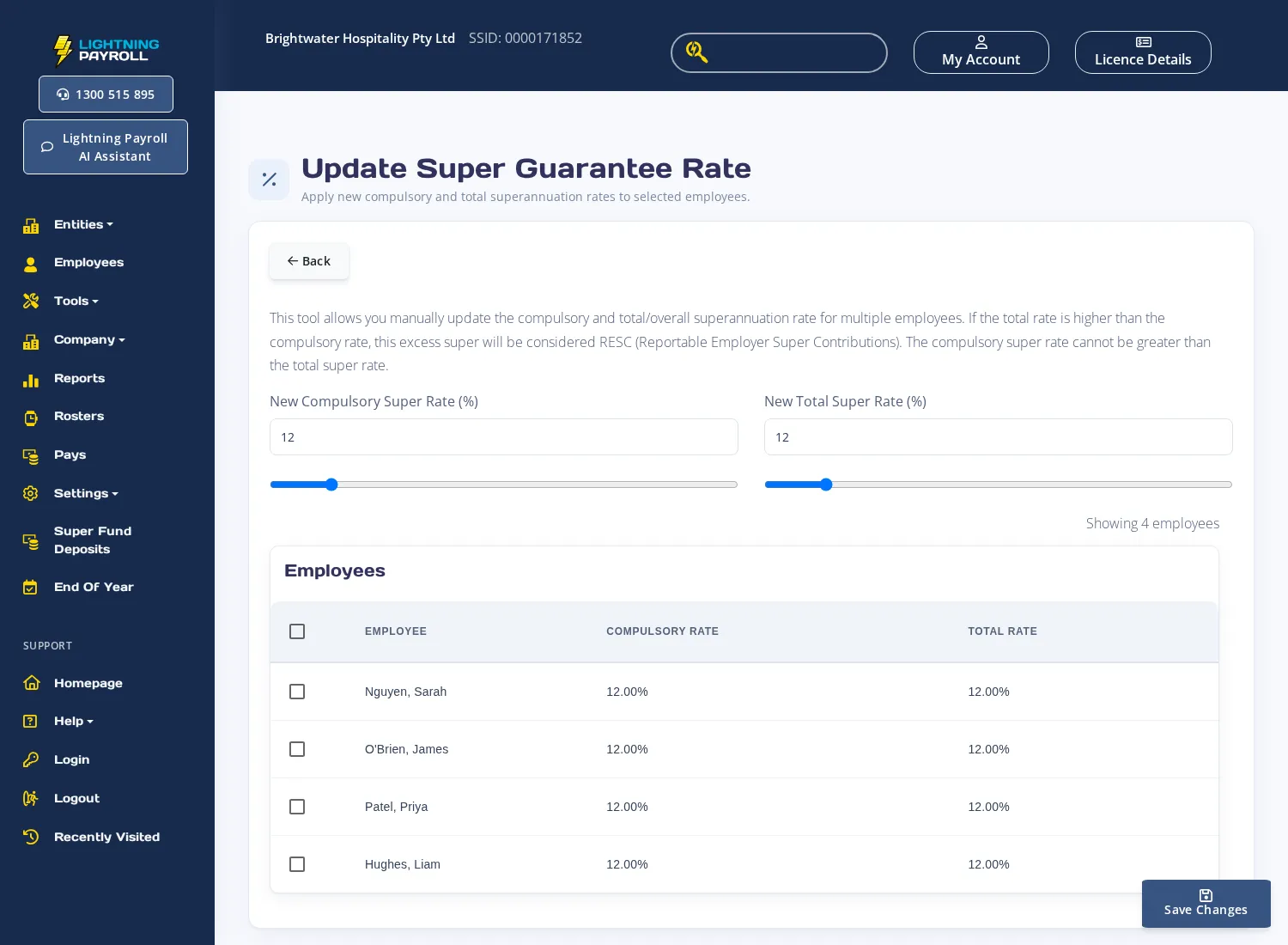
If the New Total Super Rate is higher than the New Compulsory Super Rate, the difference is treated as RESC (Reportable Employer Super Contributions) and will appear on employee payment summaries accordingly.
In the Desktop App
Go to Tools >> Update Superannuation Guarantee Rates. A wizard opens where you set the new rates and select which employees to update, then click Finish to apply.
For information on how Lightning Payroll automatically handles SG rate increases at the start of a new financial year, see How Does Lightning Payroll Handle Compulsory Super Rate Increases?

