


Answer
Use the Max Total Amount field when the deduction should stop once a cumulative dollar figure has been repaid, regardless of how many pays it takes. The system tracks the running total of all completed pay deductions (matched by description) since the Limit Start Date.
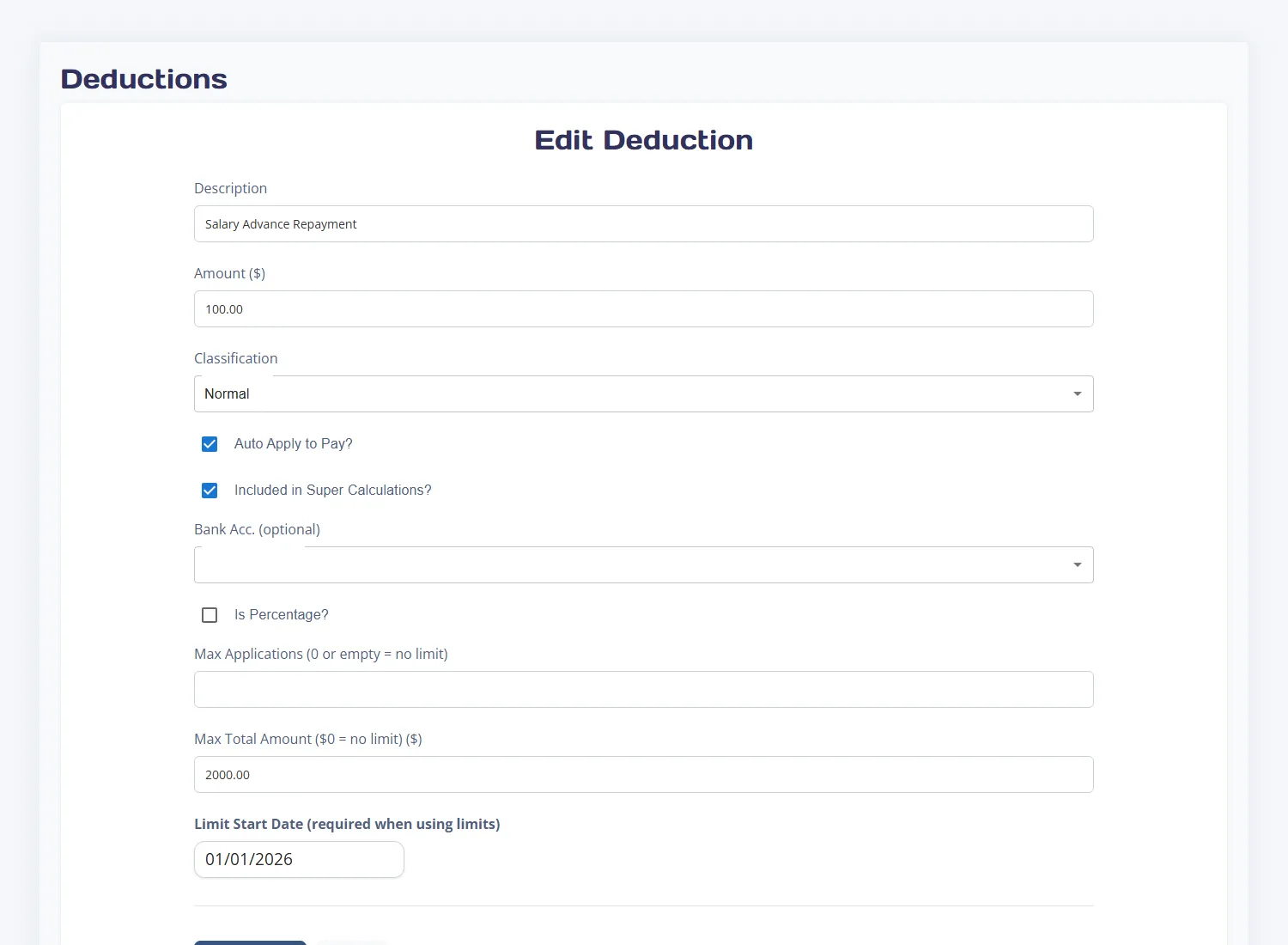
Example: $2,000 salary advance repaid at $100 per pay
- Create a deduction called Salary Advance Repayment with an amount of $100.00.
- Ensure Auto Apply to Pay is ticked.
- Set Max Total Amount to $2,000.00.
- Leave Max Applications at 0 (no count cap needed).
- Set Limit Start Date to the date the repayment schedule begins.
- Save the deduction.
What happens during pay processing
- Each new pay run checks the cumulative total already deducted since the start date.
- If the total is below $2,000, the full $100 deduction is applied.
- If only $50 remains before the $2,000 cap is reached, the deduction is automatically reduced to $50 for that pay — ensuring the employee is never over-deducted.
- Once the full $2,000 has been deducted, the deduction is skipped entirely on future pays.
Percentage-based deductions and capping
If the deduction is configured as a percentage of gross or net pay, the same capping logic applies. When the remaining limit is less than the calculated percentage amount, the system converts the deduction to a fixed dollar amount equal to the remaining balance. This ensures the total never exceeds the configured maximum.

