


Answer
Use the Max Applications field when you know exactly how many pay runs a deduction should be applied to. The system counts the number of completed pays that include this deduction (matched by description) since the Limit Start Date, and stops auto-applying once the count is reached.
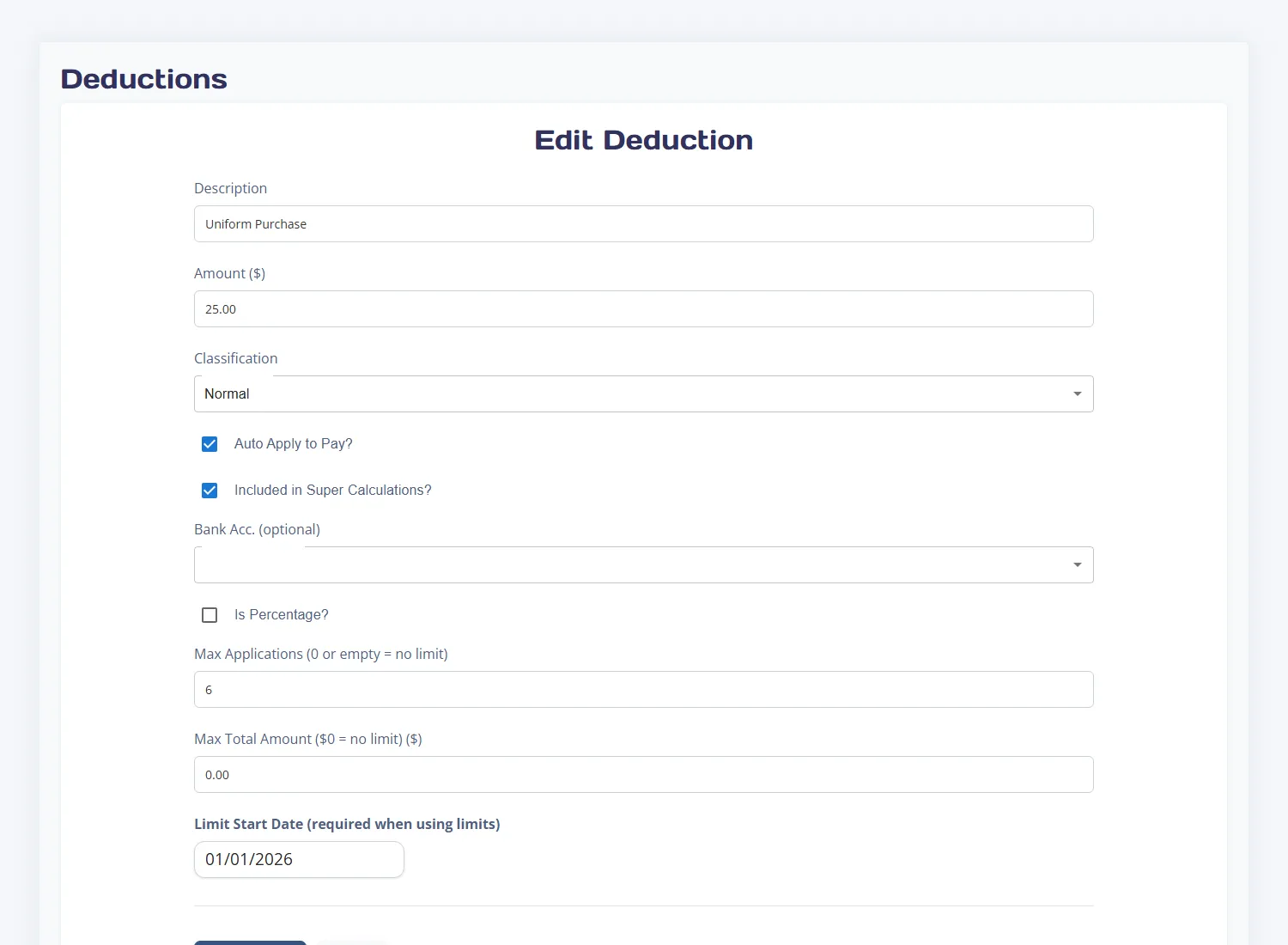
Example: uniform purchase over 6 fortnights
- Create a deduction called Uniform Purchase with an amount of $25.00.
- Ensure Auto Apply to Pay is ticked.
- Set Max Applications to 6.
- Leave Max Total Amount at $0 (no dollar cap needed).
- Set Limit Start Date to the date of the first pay run that should include this deduction.
- Save the deduction.
What happens during pay processing
- Each time a pay run is created, the system checks how many completed pays already include this deduction since the start date.
- If the count is below 6, the deduction is added to the new pay as normal.
- Once 6 pays have been completed with this deduction, it is automatically skipped on all future pays.
- The deduction remains on the employee record for reference but will not appear on new pays until you update or remove the limit.

