


Answer
If your pay run dates need to change for pays going forward, go to Company >> Pay Dates and click Edit. This lets you set the recurring pay day for the relevant pay cycle (weekly, fortnightly or monthly), and the pay runs adjust their dates accordingly.
Every date you set here is the last day of the pay period - the pay run end date - not the date you process the pay, and not the date your employees are actually paid. If you need to change when a pay is processed or paid, use Set Processed/Paid Date from the Pays screen instead - this screen only changes which day your recurring pay cycle ends on.
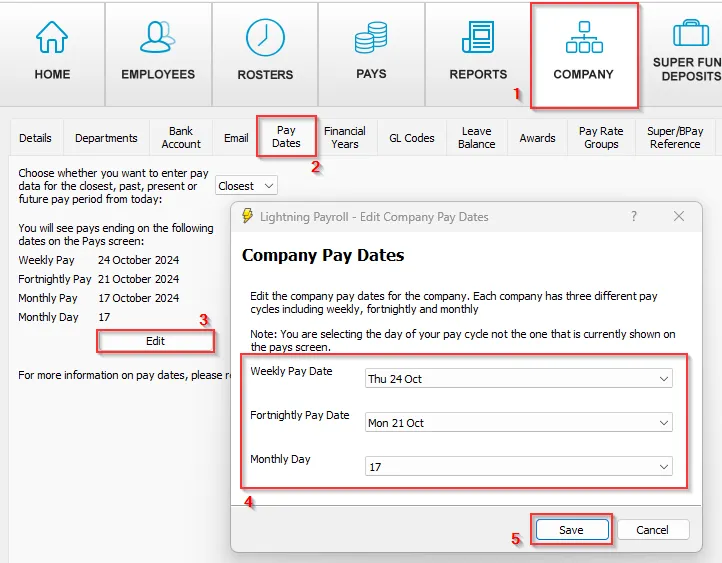
Note: you are choosing the day of your pay cycle, not the period currently shown on the Pays screen.
If you have made mistakes with past, completed pay run dates, our support staff may be able to assist.
Looking to correct a specific past pay rather than change the recurring cycle date? See How Do I Enter or Edit Past Pays?

