Answer
For a basic termination, please see our basic termination guide.
Use this guide when processing a genuine redundancy or early retirement scheme in the termination assistant.
Step 1: Start The Termination Assistant
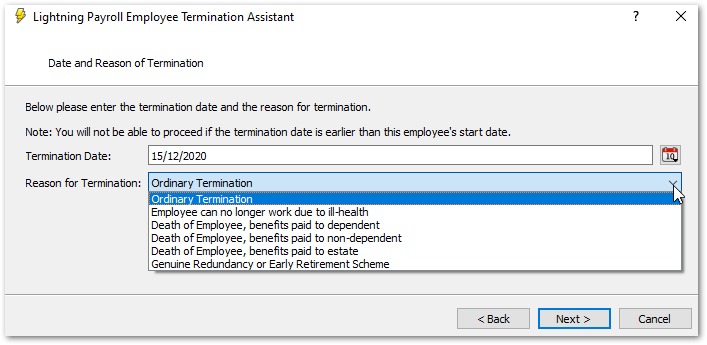
Open the employee's pay and launch the termination assistant. Enter the termination date and select Genuine Redundancy or Early Retirement Scheme as the tax reason.
Step 2: Complete The Redundancy Screen
On the Redundancy or Early Retirement Scheme step, enter:
- Redundancy or early retirement payout: the redundancy or early retirement amount only.
- Tax-free component from payment in lieu of notice: only the portion of payment in lieu of notice that should be treated as tax-free redundancy.
Do not include payment in lieu of notice in the redundancy payout field. Enter the full payment in lieu amount on the ETP step so super is handled correctly.
This tax-free component changes tax treatment only. It does not increase the payout total.
Step 3: Complete Non-ETP Payout Options
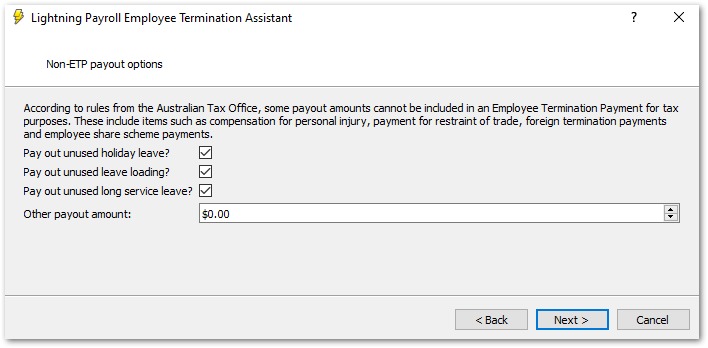
Select any non-ETP payouts you need (for example unused leave amounts), then click Next.
Step 4: Enter Payment In Lieu Of Notice On The ETP Step
If payment in lieu applies, tick Pay Out Payment in Lieu of Notice? and enter the full amount using one method:
- End of Notice Period
- Number of Hours Notice
- Lump Sum Payment
In the online (web/mobile) app, only Number of Hours Notice and Notice Lump Sum Payment are offered.
For genuine redundancy, Lightning Payroll shows guidance on this screen so the full payment in lieu amount is included for super calculations. Also mention any tax-free portion in the redundancy screen field.
Step 5: Resolve Any Validation Message
You cannot continue if the tax-free payment in lieu of notice component is greater than the total payment in lieu of notice amount.
If this appears, either increase the payment in lieu amount on the ETP step, or go back and reduce the tax-free component on the redundancy step.
Step 6: Review Summary And Finish
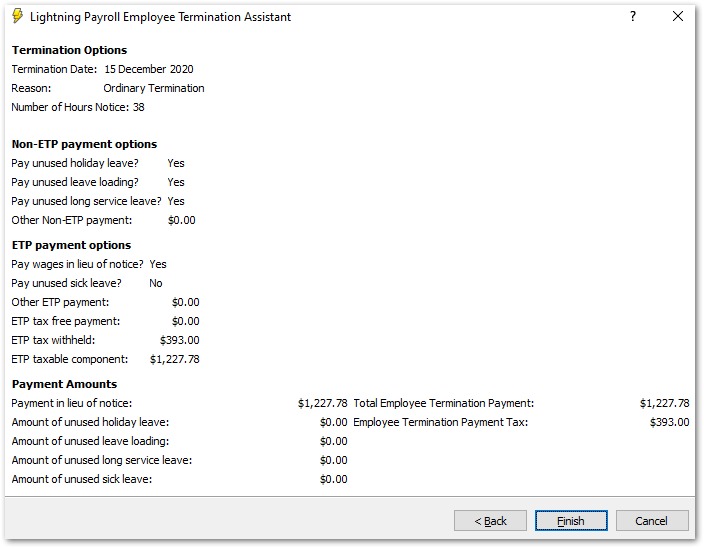
On the summary page, confirm these values before finishing:
- Redundancy or Early Retirement Scheme payout
- Tax-free payment in lieu of notice component
- Payment in Lieu of Notice Amount
Click Finish to complete the termination, or Preview to generate a termination report first.