



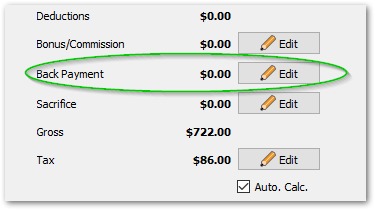
For an Australian employee, open the pay under Pays and click Edit beside Back Payment. You can enter a back payment directly, or use the Back Pay Calculator for a backdated rate rise.
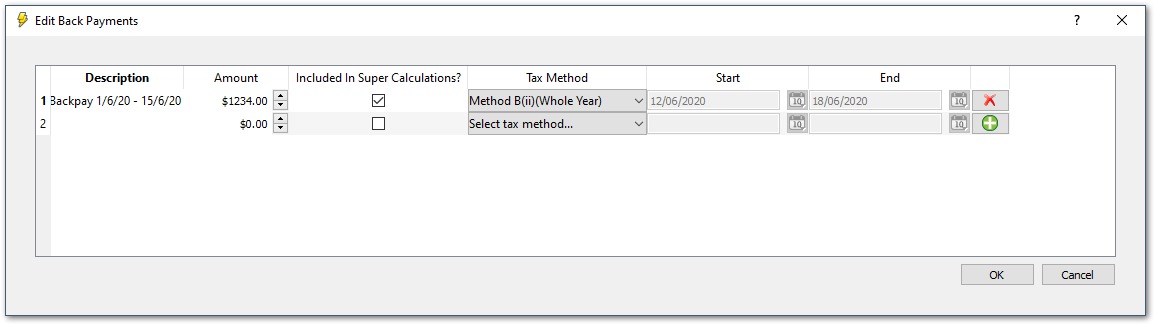
For a direct entry, enter a description and amount, then choose the tax method that applies to the payment. Date fields appear when the selected method needs them.
Use the Back Pay Calculator for a rate rise
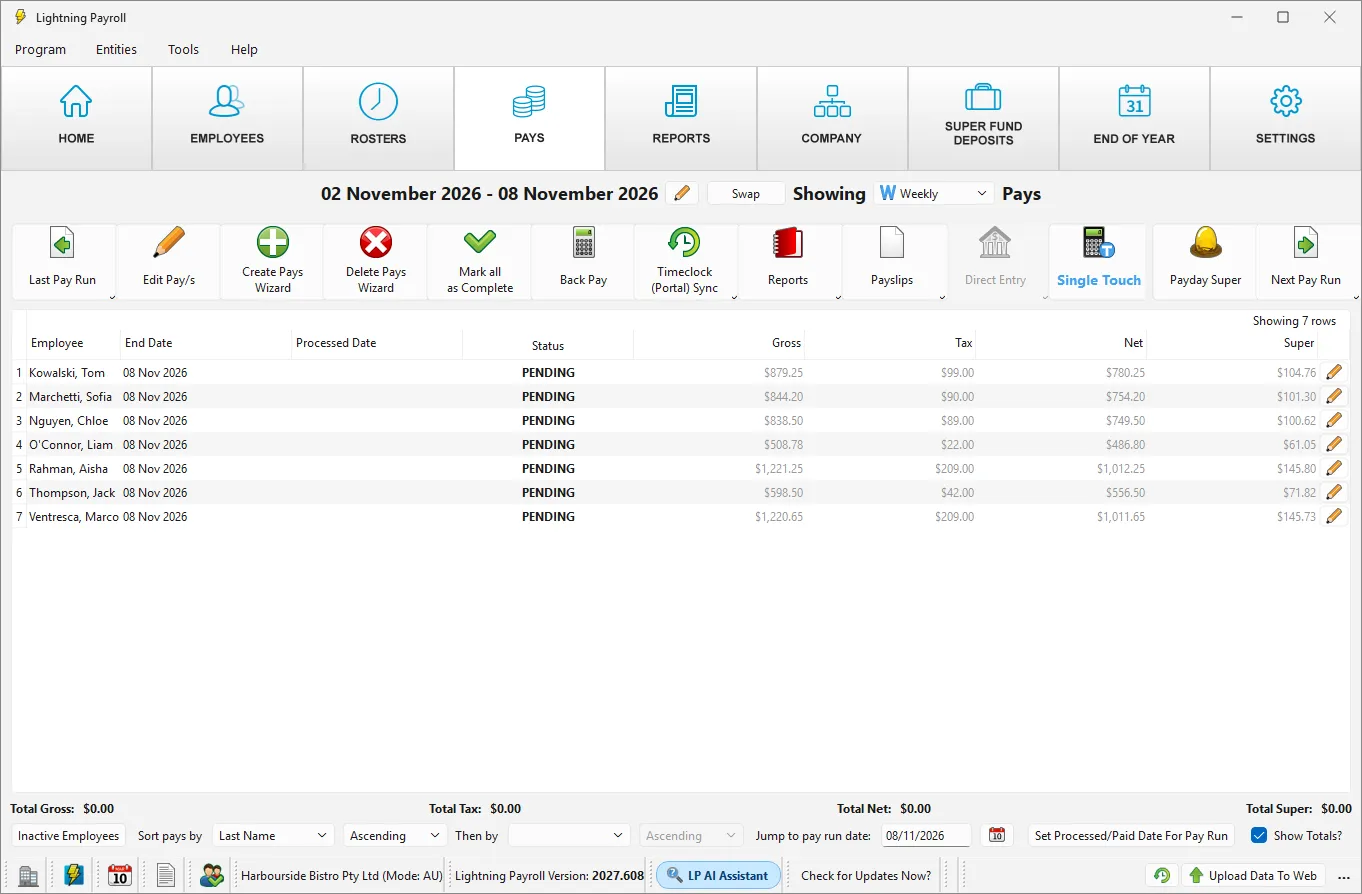
In the online app, open the pay run and click Back Pay to work on several pending pays. To work on one pay, click Edit beside Back Payment, then select Back Pay Calculator. Save or remove any unsaved back payment lines before opening the calculator.
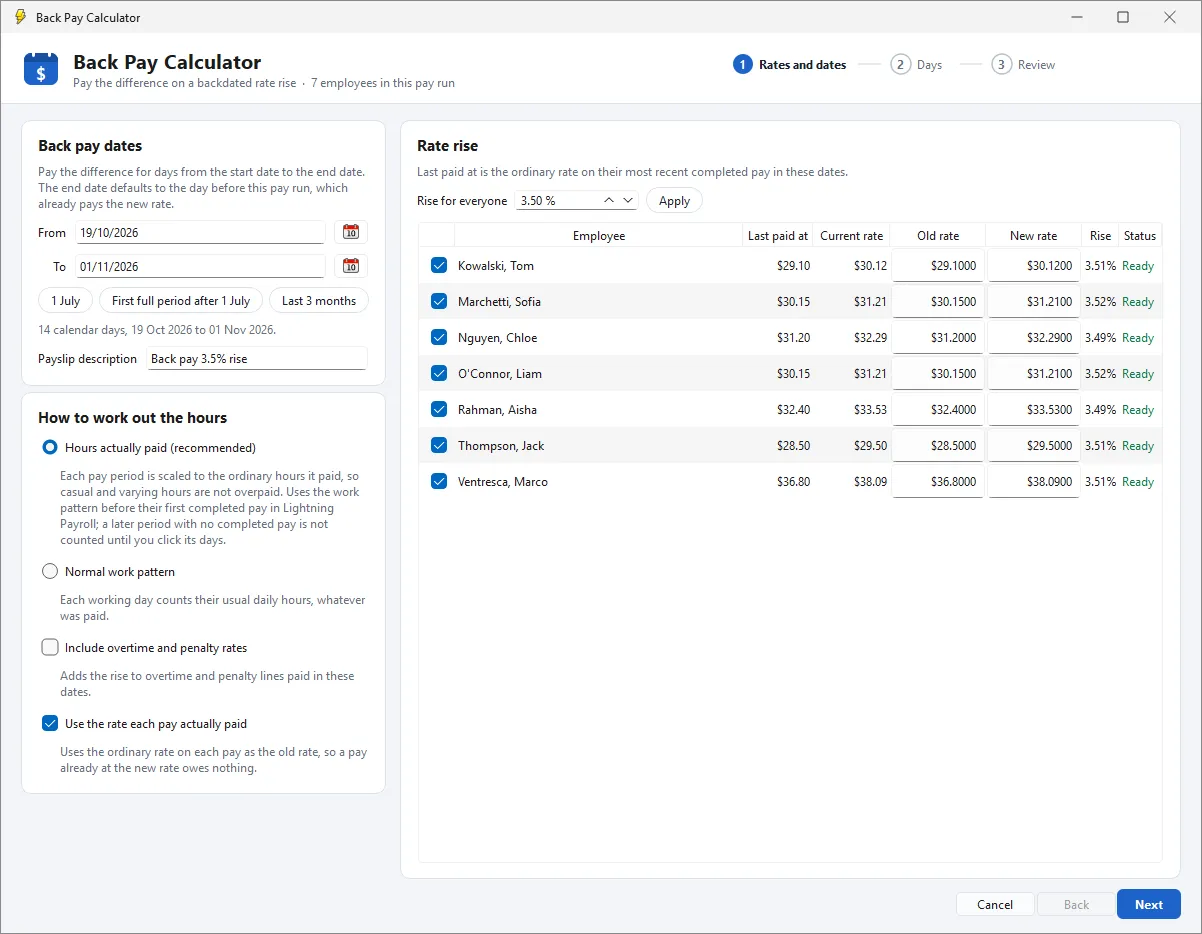
- Under Rates and dates, choose the back pay period, description and hours basis. Select the employees to include and enter their old and new hourly rates. You can use Rise for everyone (%) and Apply rise when the same percentage applies to all selected employees.
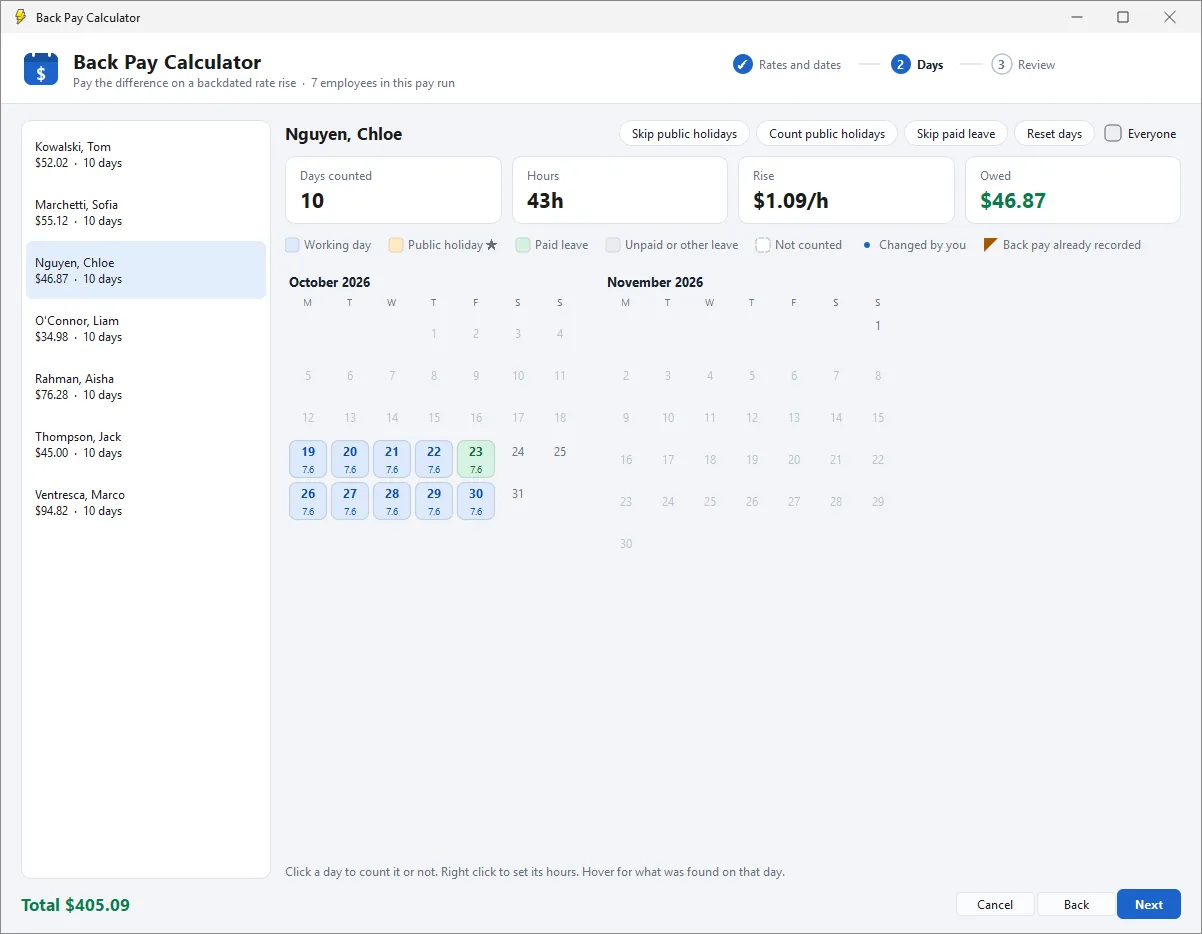
- Select Review days. Check the days and hours shown for each employee and adjust them where needed.
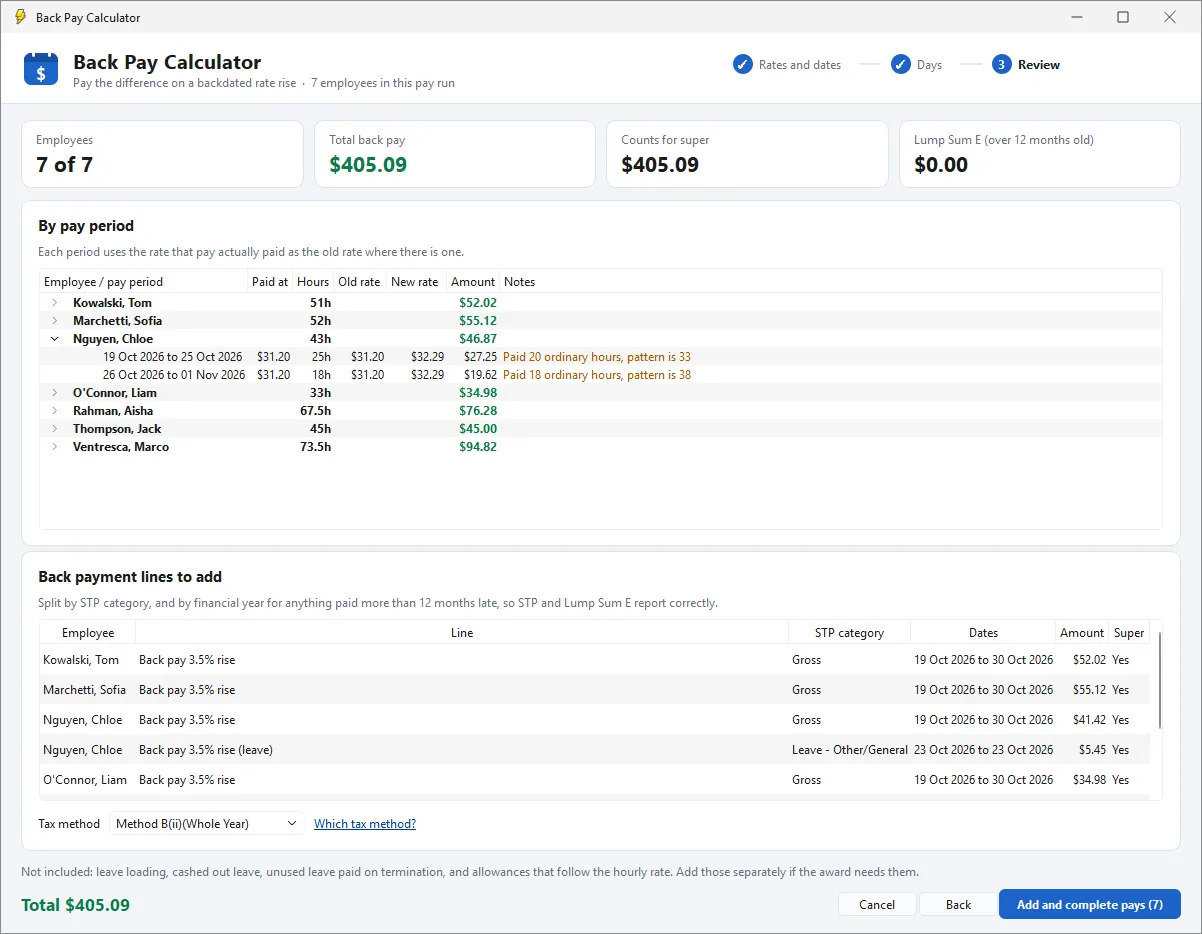
- Select Review amounts. Check the pay periods, proposed back payment lines and Tax method. If existing back payments overlap the period, review them before continuing.
- Choose Add and complete pays for the pay-run calculator, or Add to this pay when working on one pay.
Already completed pays are listed separately when you use Back Pay for a pay run. Open an employee's Back Payments screen to calculate back pay for that pay individually.
The calculator does not include leave loading, cashed-out leave, unused leave paid on termination or allowances that follow the hourly rate. Add these separately where they apply.
Choose a tax method
Review the available tax methods against the ATO's Schedule 5 guidance for back payments, commissions and bonuses. Options include As normal earnings, Method A (Whole Year), Method A (Use Date Range), Method B(i)(Use Date Range) and Method B(ii)(Whole Year). Use the date fields when the method calls for a specific earlier period.
If you are unsure which method applies, check with your accountant or the ATO before completing the pay. For a New Zealand employee, enter a back payment under Bonus/Commission instead.