


Answer
This reference covers all customer-interactable controls in Catalogue, Assignments, and Records.
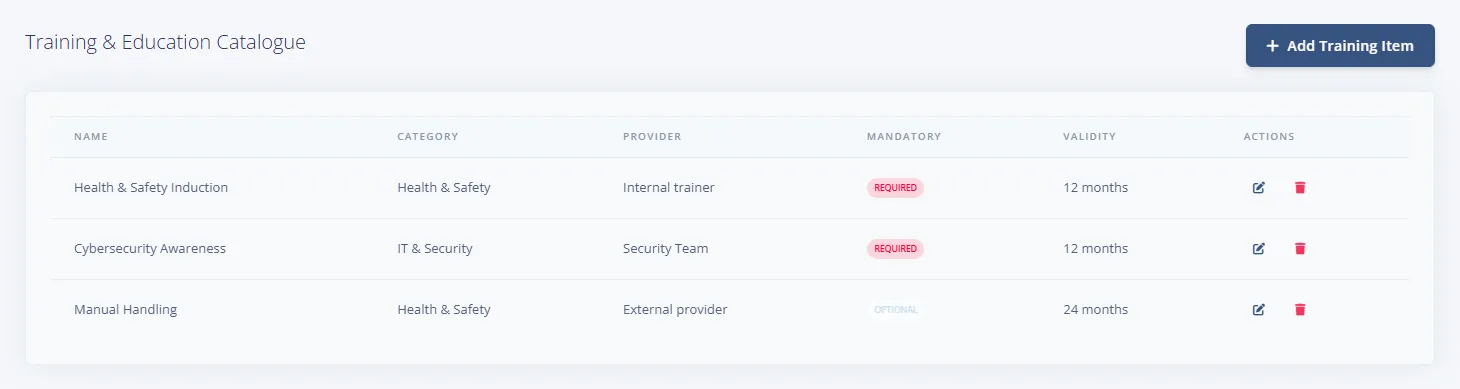
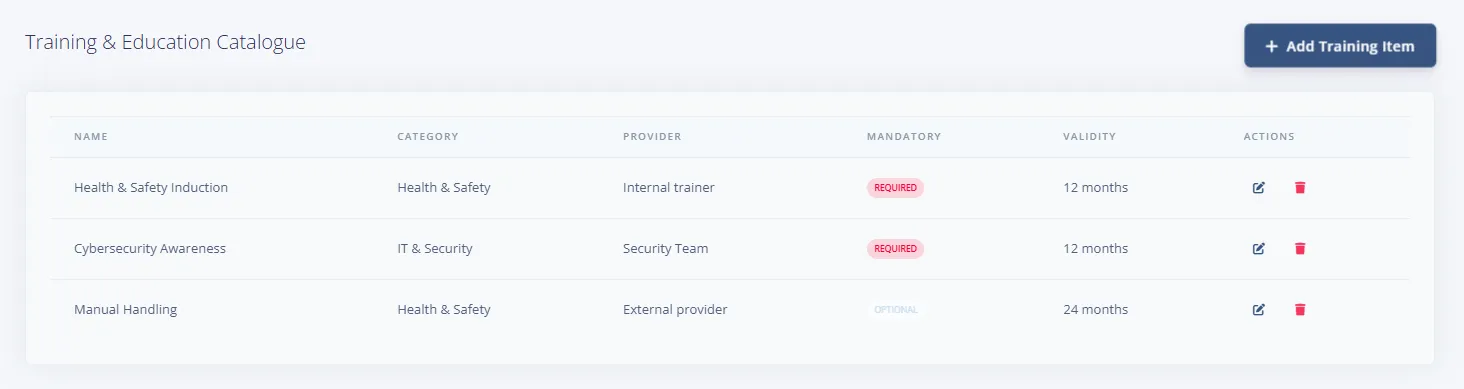
Catalogue controls
- Add Missing Defaults button
- Add Training Item button
- Per-row actions: Edit, Delete
Add/Edit Training Item modal controls
- Start from a training catalogue example select + Load Example (create mode)
- Name *
- Category
- Provider
- Validity (months)
- Mandatory for all employees checkbox
- Footer buttons: Cancel, Create/Update
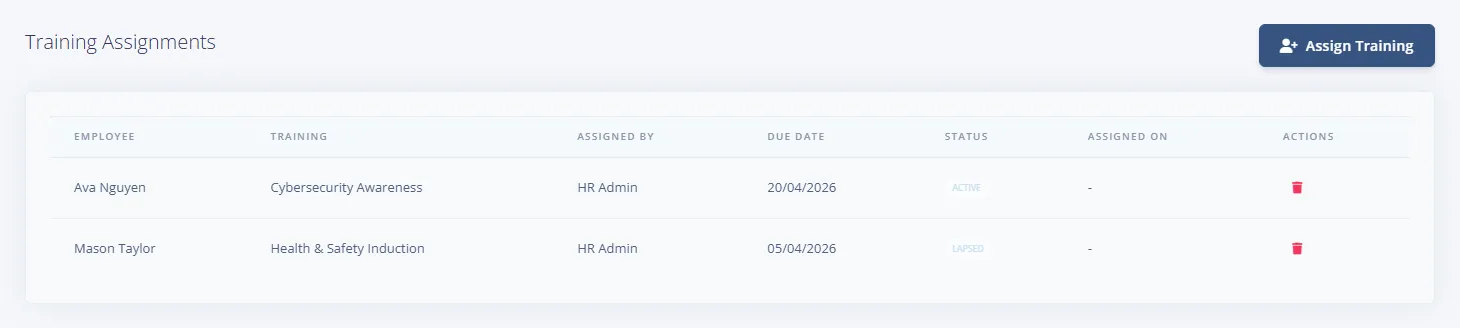
Assignments controls
- Assign Training button
- Per-row Delete assignment action
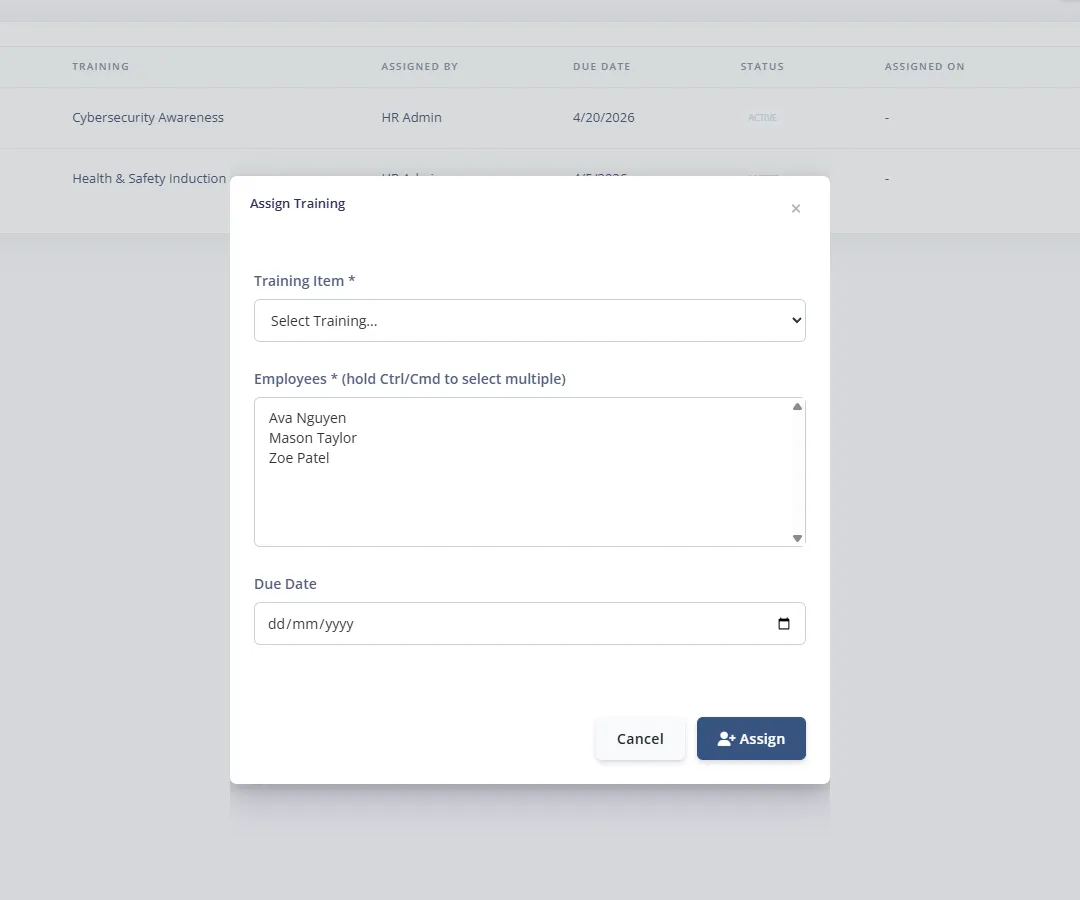
Assign Training modal controls
- Training Item * select
- Employees * multi-select (Ctrl/Cmd for multi-select)
- Due Date
- Footer buttons: Cancel, Assign
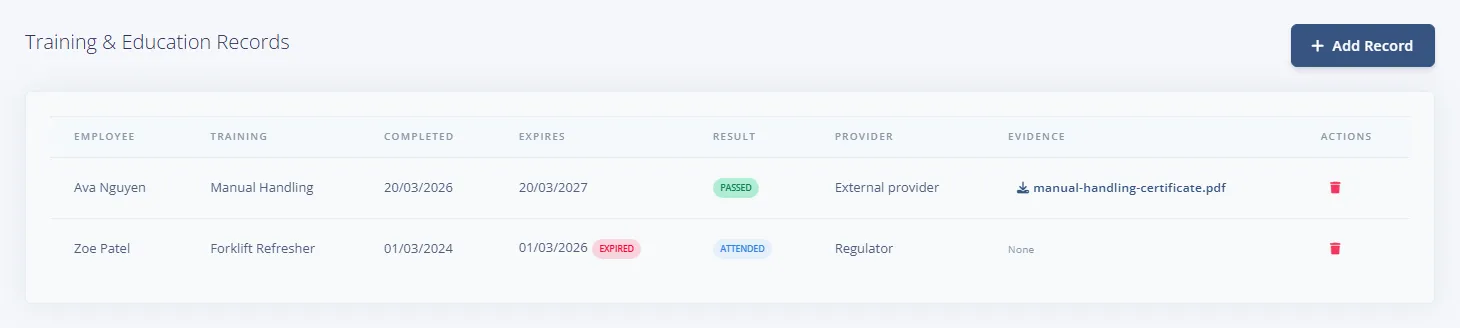
Records controls
- Add Record button
- Per-row Download Evidence (where available)
- Per-row Delete Record
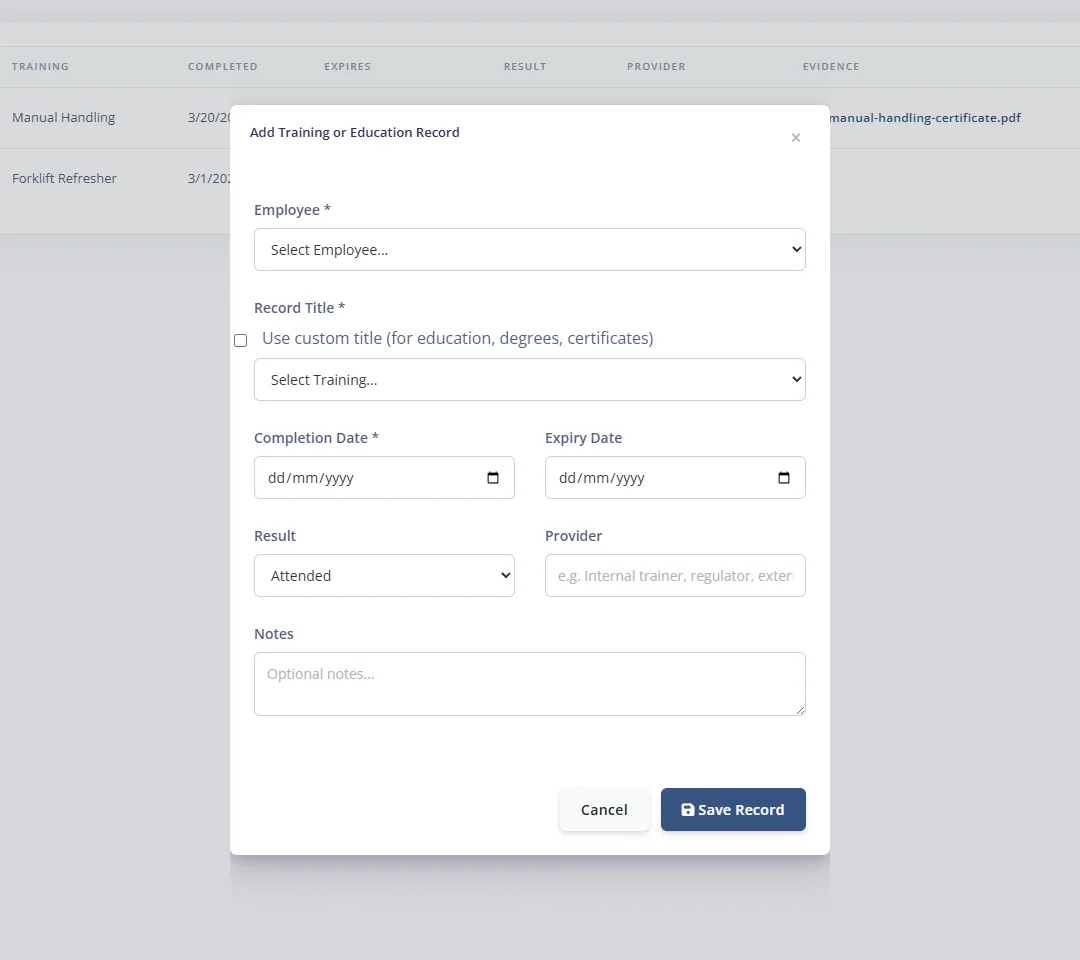
Add Training or Education Record modal controls
- Employee * select
- Record Title * section with Use custom title (for education, degrees, certificates) toggle
- Custom text field or training dropdown depending on toggle
- Completion Date *
- Expiry Date
- Result: Attended, Passed, Failed, N/A
- Provider
- Notes
- Footer buttons: Cancel, Save Record

