


Answer
This reference covers controls for both Reimbursement Claims and Reimbursement Categories.
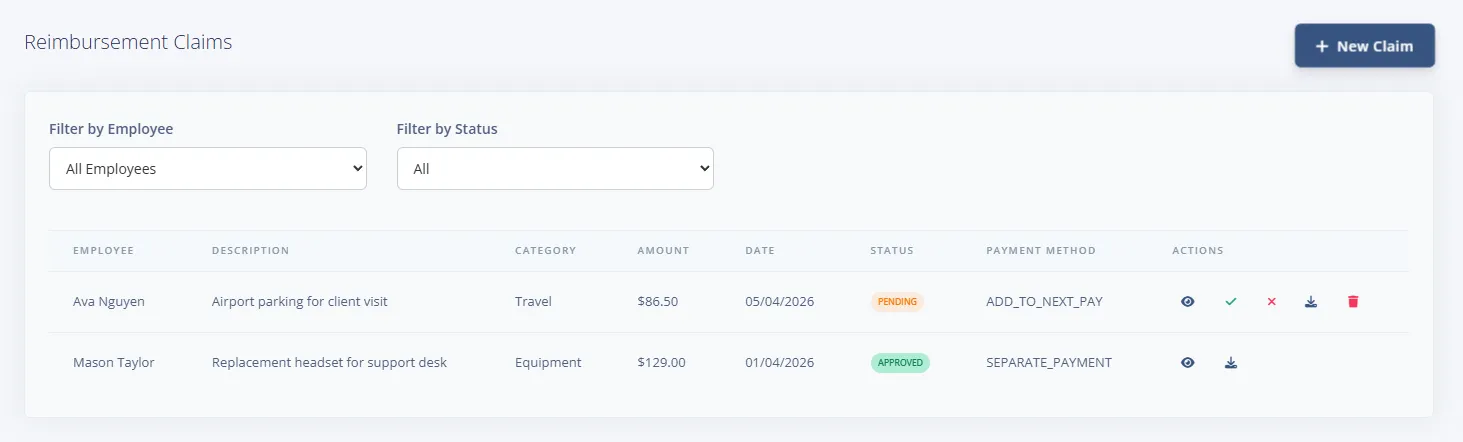
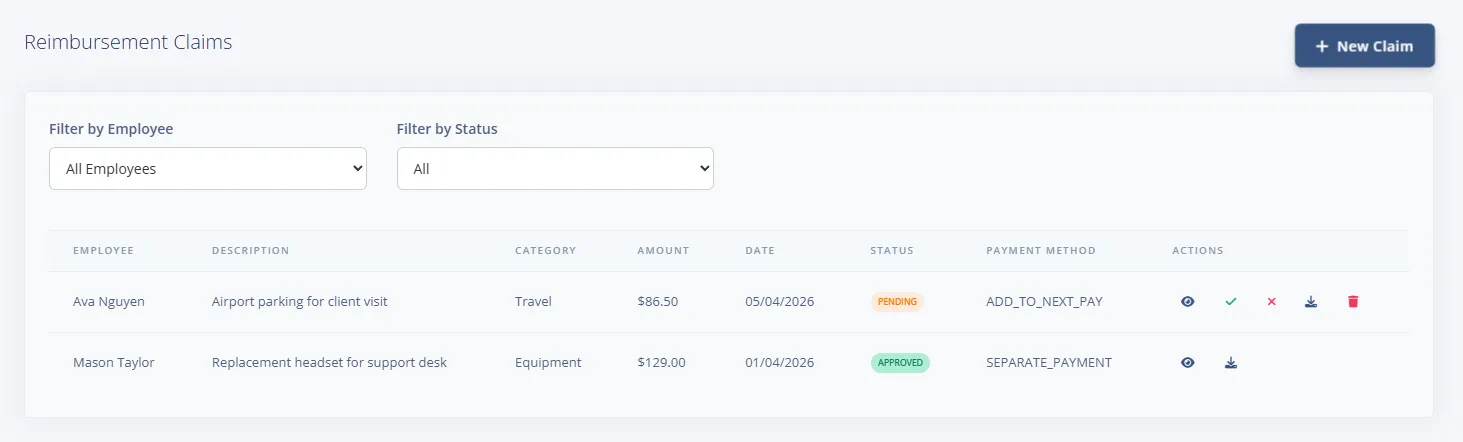
Reimbursement claim list controls
- New Claim button
- Filter by Employee select
- Filter by Status select: All, Pending, Approved, Rejected, Paid
- Per-row actions: View / Edit, Approve (pending), Reject (pending), Download Receipt (when available), Delete (pending/rejected)
New Reimbursement Claim modal controls
- Employee *
- Category *
- Description *
- Amount *
- Expense Date *
- Payment Method: Add to Next Pay, Separate Payment
- Receipt upload
- Footer buttons: Cancel, Create Claim
Review Reimbursement Claim modal controls
- Download Receipt button (if attached)
- Admin Notes textarea
- Decision buttons (pending claims): Reject, Approve
- Footer navigation: Cancel
Reimbursement category controls
- Add Missing Defaults button (populates built-in categories when the list is empty or incomplete)
- New Category button
- Per-row actions: Edit, Delete
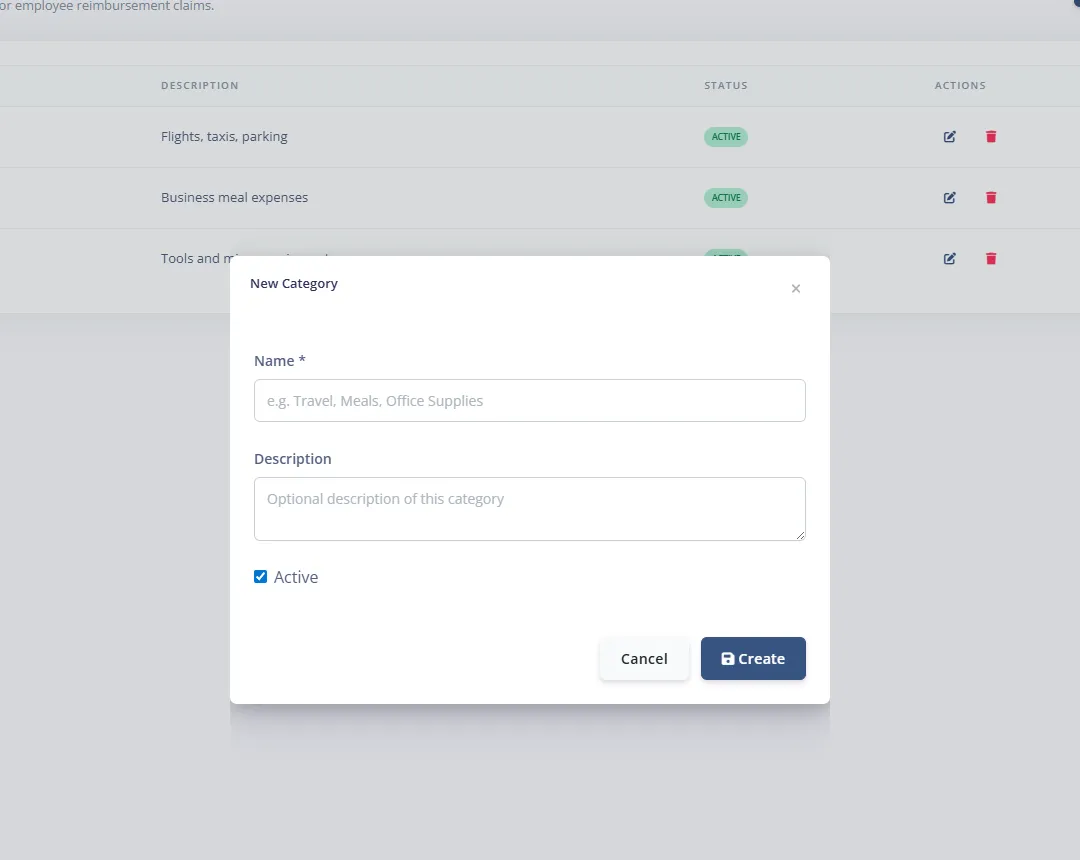
New/Edit Category modal controls
- Name *
- Description
- Active checkbox
- Footer buttons: Cancel, Create/Update

