


Answer
This reference lists all customer-interactable navigation controls in the HR Suite admin module so teams can find every section quickly.
Main left navigation sections
- Dashboard
- Employee Files
- Policies & Procedures
- Onboarding & Offboarding
- Training & Education
- Expense Claims
- Template Library
- Settings
Section sub-tabs
- Employee Files: All Documents, Missing Documents, Document Types
- Policies & Procedures: Policies, Letters and documents
- Onboarding & Offboarding: Active Checklists, Templates
- Training & Education: Catalogue, Assignments, Records
- Settings: Reminders, Expense Categories, Audit Log
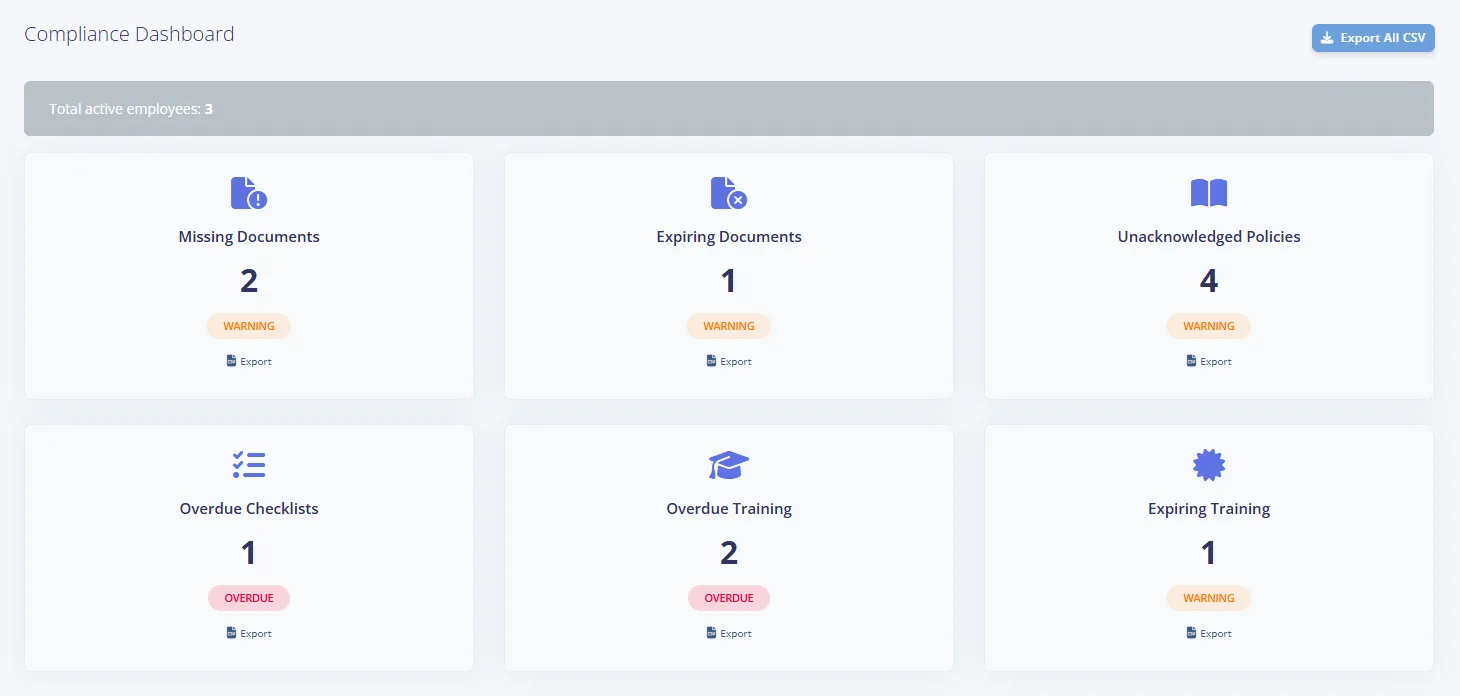
Dashboard clickable controls
- Export All CSV
- Card click-through for Missing Documents, Expiring Documents, Unacknowledged Policies, Overdue Checklists, Overdue Training, Expiring Training
- Per-card Export CSV button when card count is above zero
Tutorial videos
- A Watch Tutorial button appears on the Dashboard, Employee Files, Policies & Procedures, Onboarding & Offboarding, Training & Education and Expense Claims screens. It plays a short walkthrough video in a pop-up without leaving the page.
Missing Documents and list controls
- A Filter by Employee dropdown narrows the Employee Files and Onboarding & Offboarding lists to one employee.
- Each row on the Missing Documents list shows whether a request email has been sent: Not Sent, or Sent with the date it went out. The action button reads Request the first time and Request Again afterwards.
- The Documents and Missing Documents tables can be sorted by clicking their column headings.

