


Answer
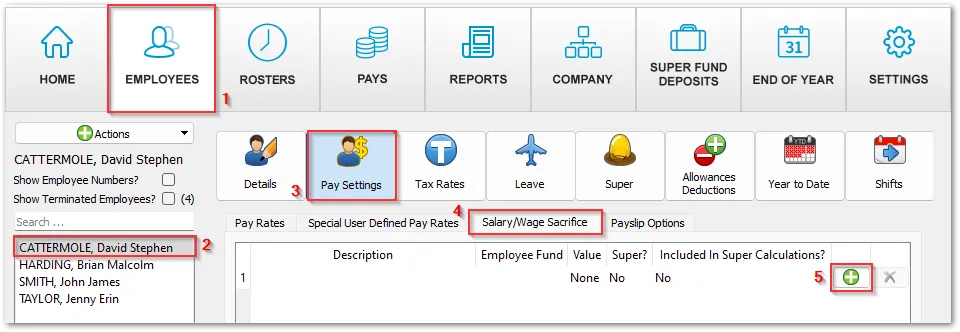
To add a Salary Sacrifice for an Employee you will find this under the Employees tab. Select the employee to the left of the screen. Click on Pay Settings >> Salary/Wage Sacrifice and click on the green plus symbol to add in the sacrifice & Save.
If this is to be a Salary Sacrifice as Super (Australia only), tick the Is Super/RESC? tickbox and attach the employee's super fund to the sacrifice. A super sacrifice is always included in the super calculations, so the Included In Super Calculations? tickbox is hidden for it. To include any other sacrifice in the super calculations, tick Included In Super Calculations?.

