


Answer
Policy management in HR Suite follows a clean lifecycle: draft, publish, and acknowledge. Keeping each stage explicit helps with auditability.
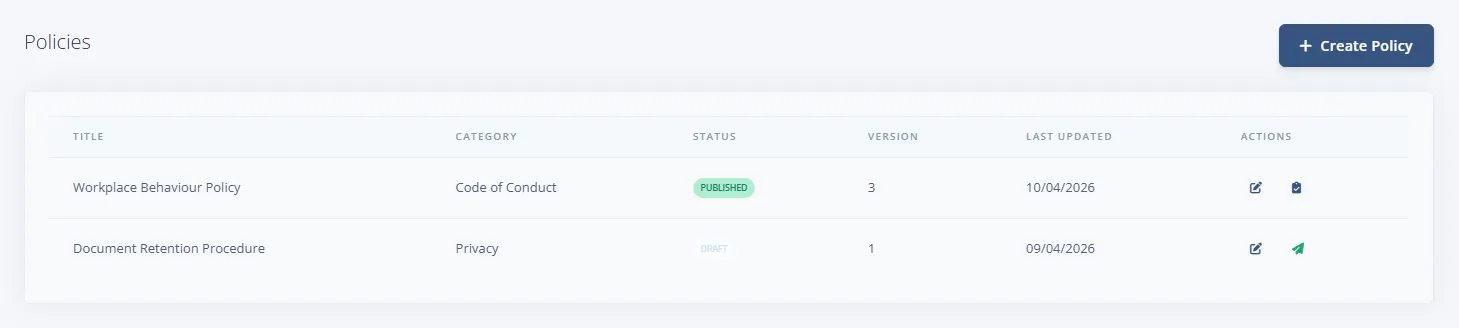
Step 1: Maintain policy status from the list
- Create new content as Draft while wording is still in review.
- Use category naming consistently so employees can find related policies.
- Check version numbers and updated dates before publishing changes.
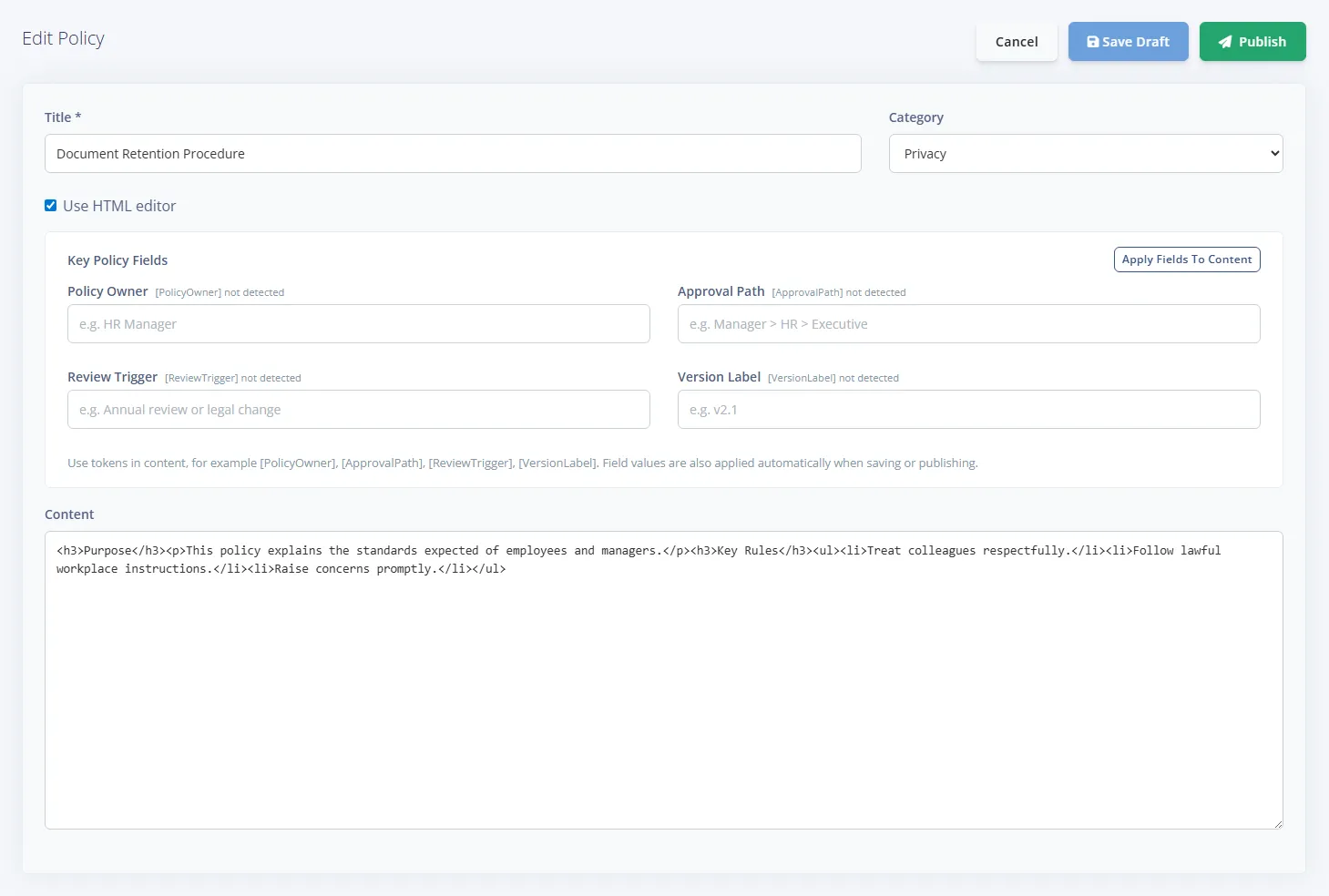
Step 2: Finalise and publish the current version
- Confirm policy scope and expectations are complete.
- Publish only after internal approval so employees see stable wording. Publishing asks for an Effective Date and an optional change summary.
- Use reminders for policies that require acknowledgement by a deadline.
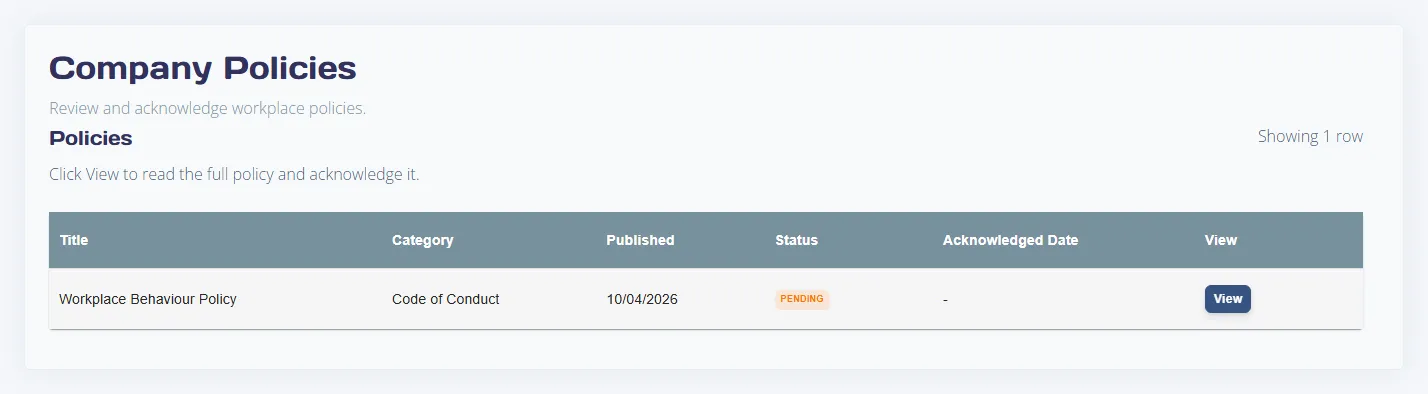
Step 3: Verify employee acknowledgement progress
Employees open the published policy in the portal and acknowledge that version. Unacknowledged policies remain visible in compliance views until completed. On HR >> Policies & Procedures, the Acknowledged column shows how many acknowledgements each published policy has so far.
If acknowledgement numbers are not moving
- Check the policy is published (not draft).
- Confirm employees have HR portal access permissions.
- Review reminder rule setup for policy acknowledgements.

