


Answer
Checklist templates are reusable process blueprints. Invest time here once, then launch consistent onboarding/offboarding checklists for every employee.
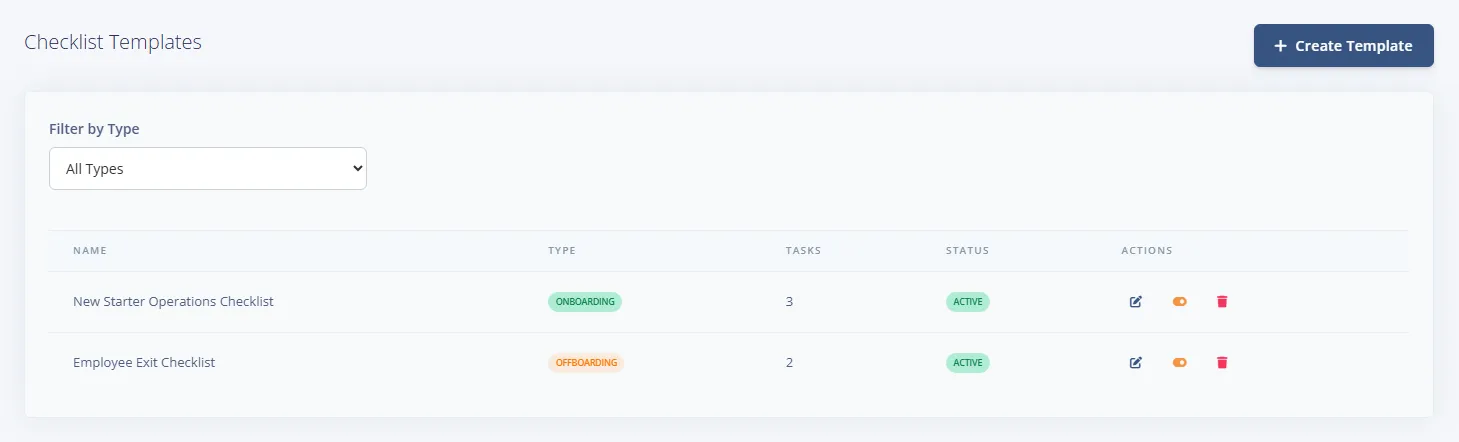
Step 1: Keep template library clean
- Separate Onboarding and Offboarding templates clearly.
- Deactivate old templates instead of deleting historical process definitions.
- Use descriptive template names aligned with teams or role families.
- To save time, open HR >> Onboarding & Offboarding >> Templates, choose Create Template, pick an option under Start from a ready-made checklist and select Load Example. Examples are a starting point, so review and edit every task before you use it.
Step 2: Design tasks for real execution
- Assign ownership per task (admin, manager, employee).
- Include due timing relative to start/end dates.
- Link related documents or training items where required.
- Write task descriptions so completion criteria are unambiguous.
Step 3: Launch from template
Choose the employee, select the template and set the reference date. This creates a live checklist instance with a complete progress trail.

