


Answer
Special tax tables apply to workers in the horticulture and shearing industries (see ATO publication NAT 1013). These tables apply when an employee:
- works in the horticultural or shearing industries,
- does not work for the same employer for a continuous period exceeding six months, and
- has given you a valid Tax file number declaration (NAT 3092) and has claimed the tax-free threshold.
In the desktop app
Open the employee, go to Tax Rates >> Special Tax Rates, and find the Horticulture/Shearing Industries section. Select either Horticulture or Shearing from the industry drop-down. The drop-down is only enabled when the employee has a Tax File Number recorded and has the tax-free threshold claimed on their Tax Settings tab - if it appears greyed out, check those two settings first.
In the online (web/mobile) app
Open the employee, navigate to Tax Rates >> Special Tax Rates. Under the Horticulture/Shearing Industries heading, use the Select the applicable industry if these tables apply to this employee. drop-down and choose Horticulture or Shearing. Select Unspecified if the scale no longer applies. Click Save Changes when done.
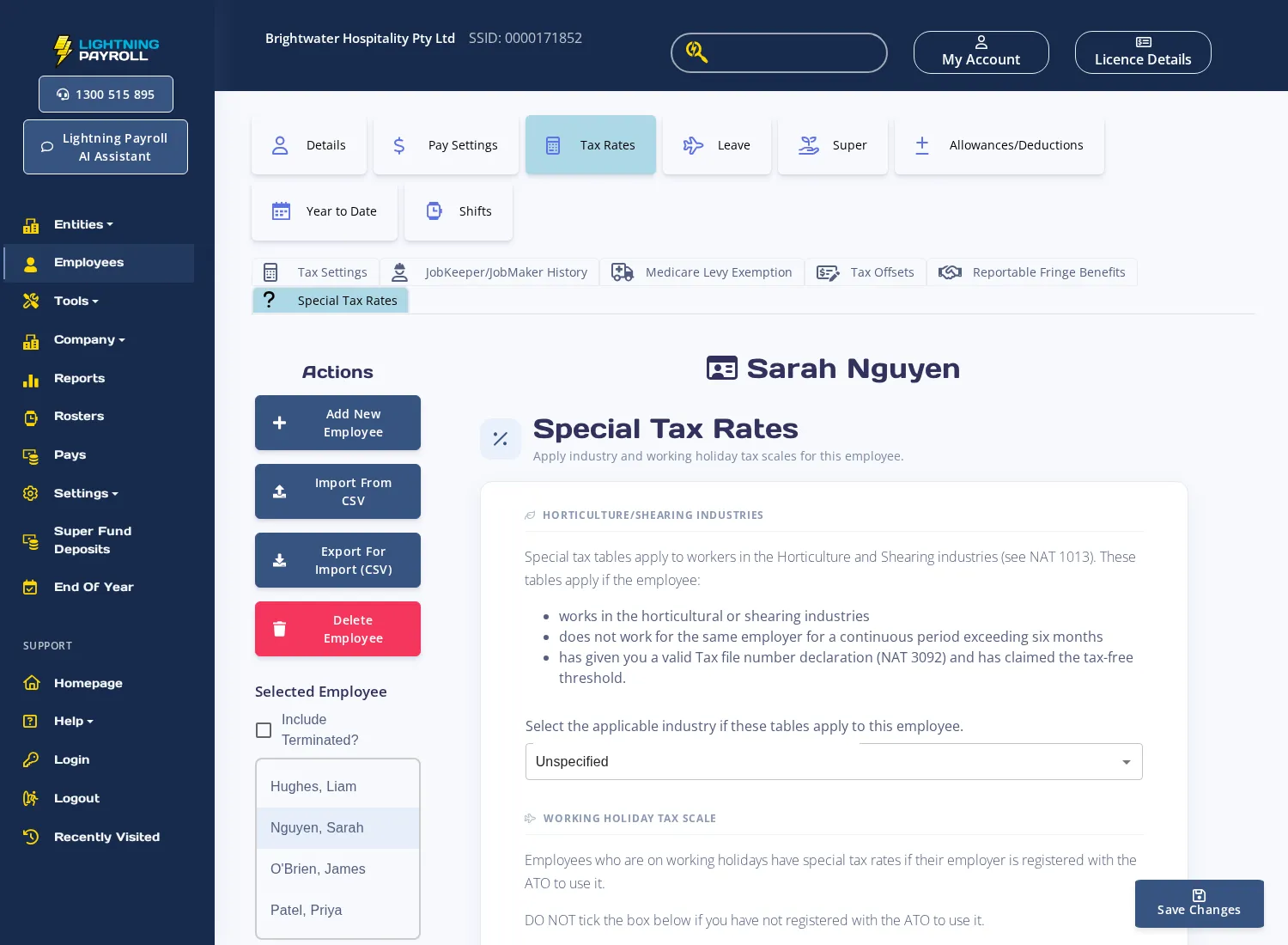
The same screen also contains the Working Holiday Tax Scale section. If your employee is on a working holiday visa rather than a horticulture or shearing engagement, see How Do I Set Up Tax for Employees on a Working Holiday? instead.

