


Answer
To complete your Business Activity Statement (BAS) accurately, use the right reports with settings that match the period you are reporting. For PAYG withholding figures, we recommend the Group Tax report. To generate it:
- Go to Reports >> Tax >> Group Tax.
- Enter the relevant start and end dates.
- Tick Use Processed Date.
- Select the employees.
- Click OK.
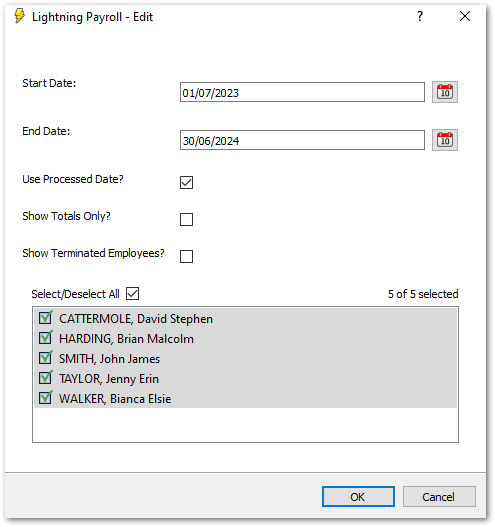
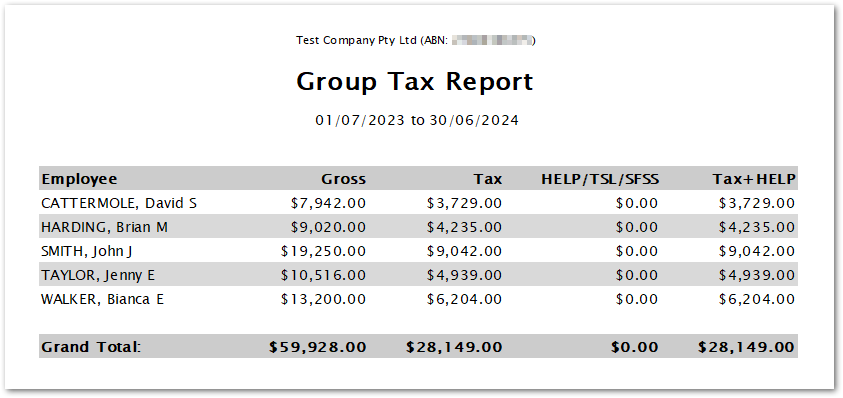
The totals give you the W1 (Gross) and W2 figures. Use the Tax+HELP total for W2, as it includes the HELP/STSL/SFSS components. Ticking Show Totals Only condenses each line into its totals for a more concise report.
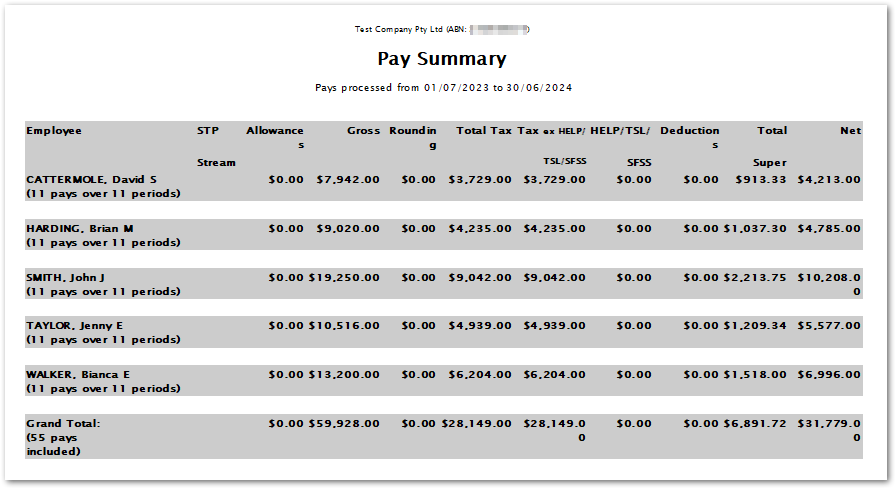
If you want a more detailed breakdown of other pay components, generate a Pay Summary report:
- Go to Reports >> Pay >> Pay Summary.
- Use the same dates as the Group Tax report, with Use Processed Date ticked.
Comparing the Pay Summary and Group Tax reports is a good way to spot any discrepancies.
To see the W1 and W2 values broken down by month, use the Monthly Tax Deductions Summary report:
- Go to Reports >> Tax >> Monthly Tax Deductions Summary.
- Make sure Use Processed Date is ticked.
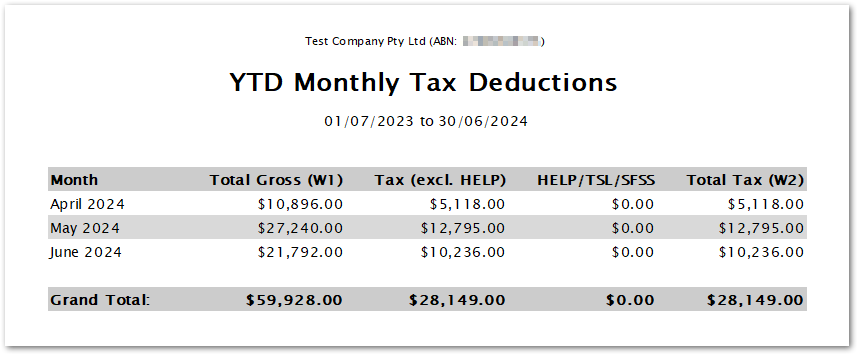
This gives you a useful month-by-month breakdown of your W1 and W2 values.

