Answer
Since the introduction of Single Touch Payroll (STP), payment summaries are no longer required, because employee earnings are reported directly to the ATO and appear in each employee's myGov income statement. If you would still like to give your employees a payment summary, Lightning Payroll makes it easy. Normally you'd print or email payment summaries at the same time as you finalise with the ATO, but they can be accessed separately any time of the year, and as many times as you like. Lightning Payroll doesn't 'close anything off' in the End of Year section. Retrieving payment summaries (group certificates) is very similar to retrieving payslips.
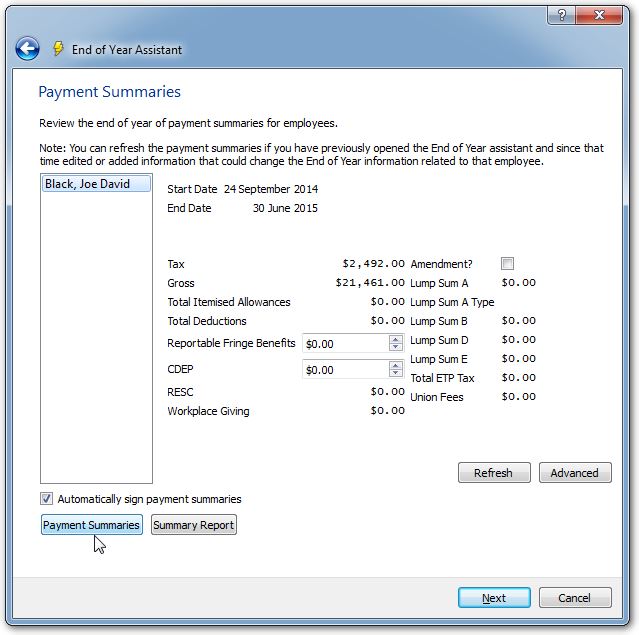
To do this, simply click End of Year, select your financial year (FY) and click next. You will then be prompted to select the employees you wish to view/print Payment summaries for, and follow the prompts.
Once you are looking at the Payment Summaries screen, click the Payment Summaries button and Lightning Payroll will generate your employees PAYG summaries in a printable PDF format.