


Answer
The BMS ID (Business Management System ID) identifies the payroll software and company that sent each Single Touch Payroll report. The ATO may ask for it when looking into duplicate or missing STP records.
In the desktop app: go to Company >> Details. The Lightning Payroll BMS ID field near the bottom of the tab shows your company's current BMS ID. You can select the text to copy it.
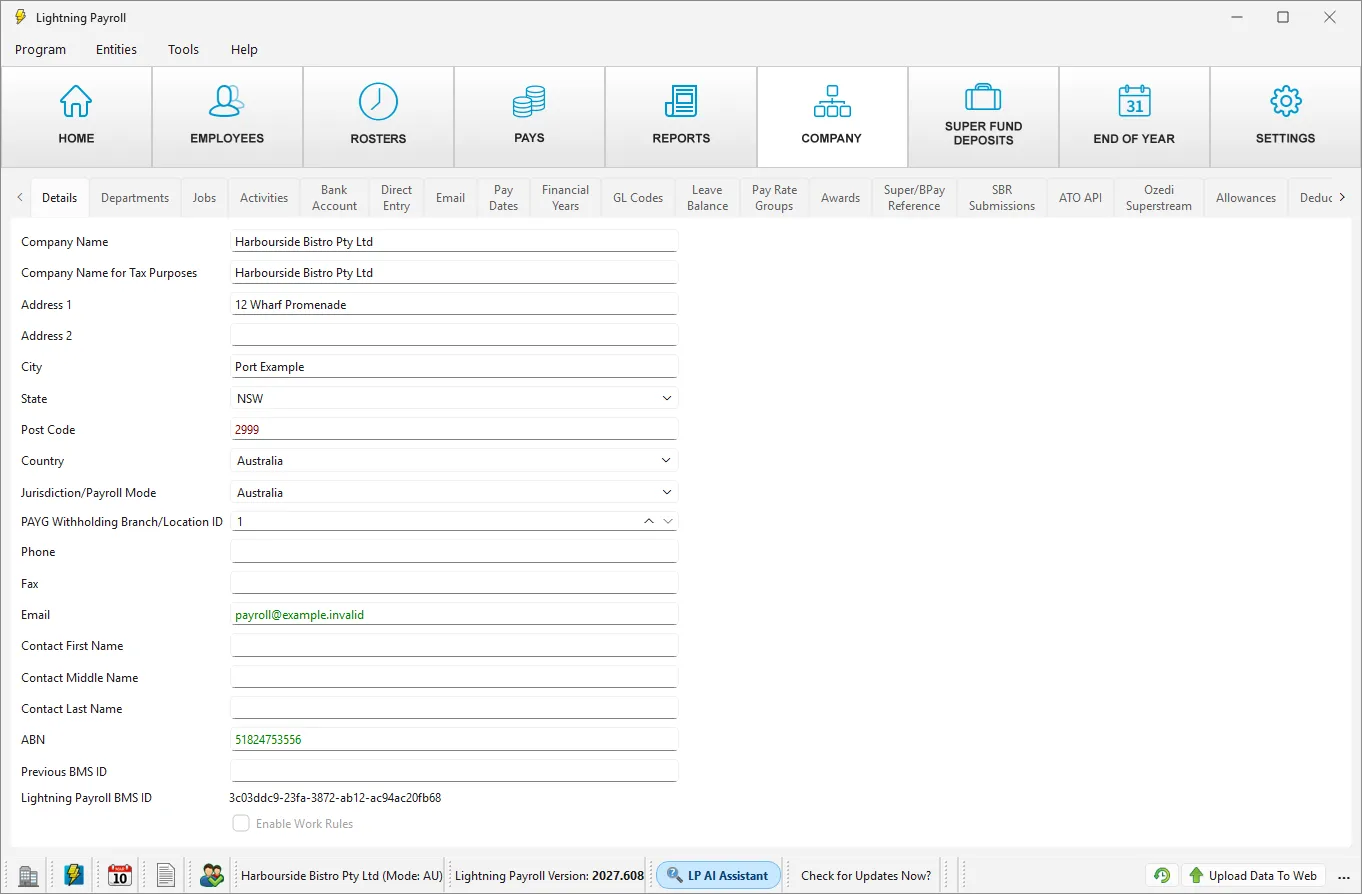
In the online app: the BMS ID is not shown on screen. If the ATO asks for it, contact Lightning Payroll support.
Lightning Payroll works out the BMS ID from the company's ABN and its PAYG Withholding Branch/Location ID. If either of these changes, the BMS ID changes too, and the ATO can treat later reports as coming from a different payroll. See Why Are Two Income Statements Showing For The Same Employment?
The Previous BMS ID field on the same tab is for businesses that moved their STP reporting to Lightning Payroll from another payroll product. It is not your current BMS ID.

